


Exploitation pressure
FIRST EPSS probability on every CVE across your findings, read live from FIRST.
KEV listings, indicators, actors and the map show sample data until their feeds are connected.
360° security testing. Evidence you can verify.
AQIRA penetration-tests your web apps, APIs and Android apps, and audits cloud accounts, code and Microsoft 365 or Google Workspace tenants. Exploitable findings carry benign proof and an ATT&CK mapping.
Non-destructive at every intensity. Read-only access wherever an input allows. Nothing active runs until you confirm authorisation. How AQIRA stays safe
Less noise. More certainty.
The annual test
An annual penetration test describes the estate as it stood that week. After the next release, DNS change or cloud account it is out of date, and the next test is months away.
The scanner
A scanner runs more often but ranks possibilities by score, not by what an attacker could do. Your team spends days disproving the list before real issues are fixed.
The continuous assessment
AQIRA covers the gap. It assesses every input you own on the schedule you set. Exploitability is validated with benign proof, and each finding carries evidence and a confidence level. The report can be checked line by line.
Proof is a unique marker the target echoes back, a measured delay, an out-of-band lookup or the output of a read-only command.
Every active assessment and every schedule starts with the operator confirming they are authorised to test the target.
Pause, resume or cancel any assessment from the live console; it holds or stops at the next safe checkpoint. Schedules pause and resume too.
Each number is the length of a list in the console. None of them is a result.
360° coverage
Six inputs assessed from one console, with threat and dark web intelligence beside the findings. Brand intelligence is in development.
From scope to sign-off
Five assessment phases, then a report. Each specialist carries the evidence forward, so your team can follow how a finding became a conclusion.
Shown for a domain assessment. The work changes with the input.
Maps the public attack surface.
In the consoleCorrelating certificate transparency and passive DNS for acme.example
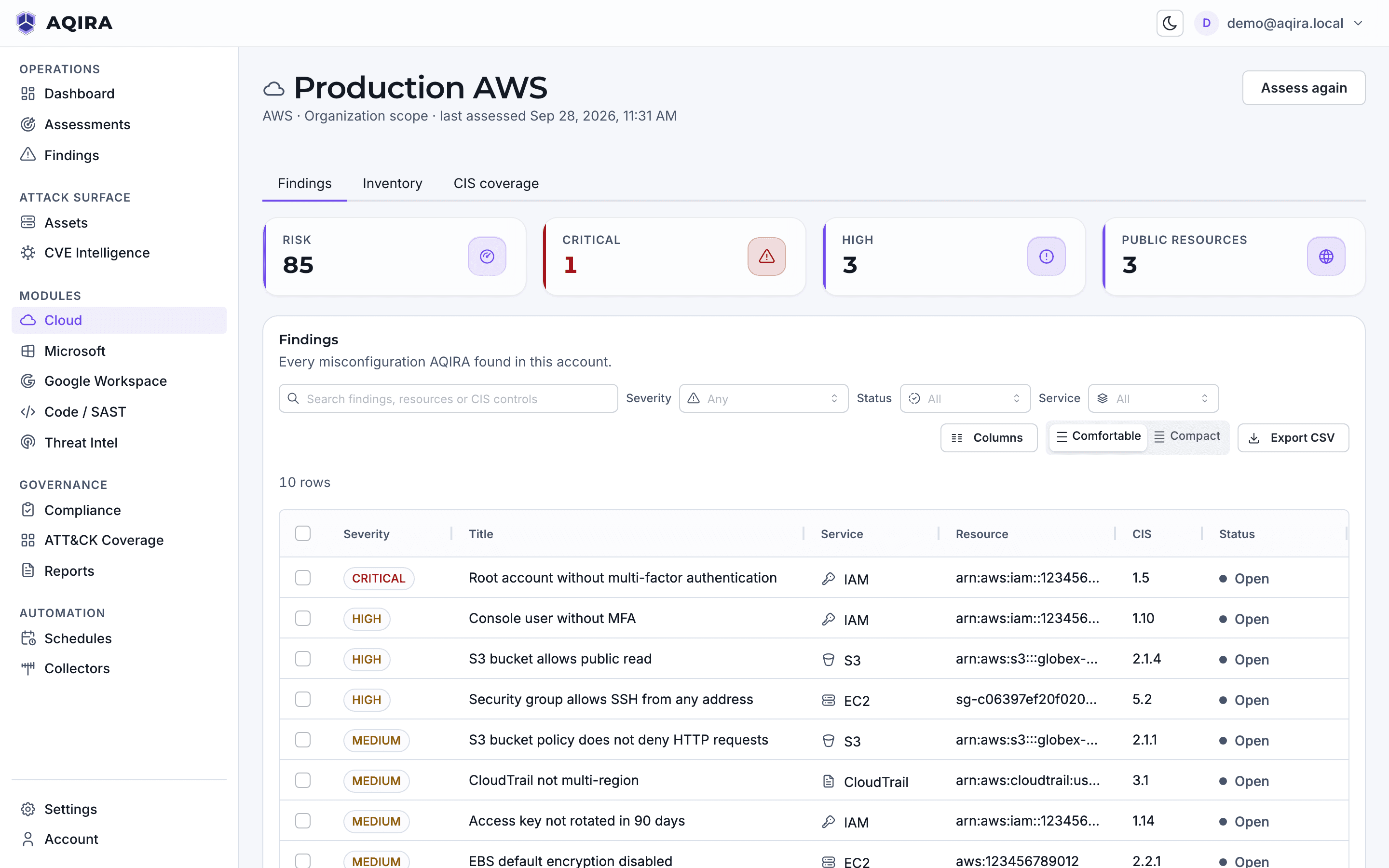
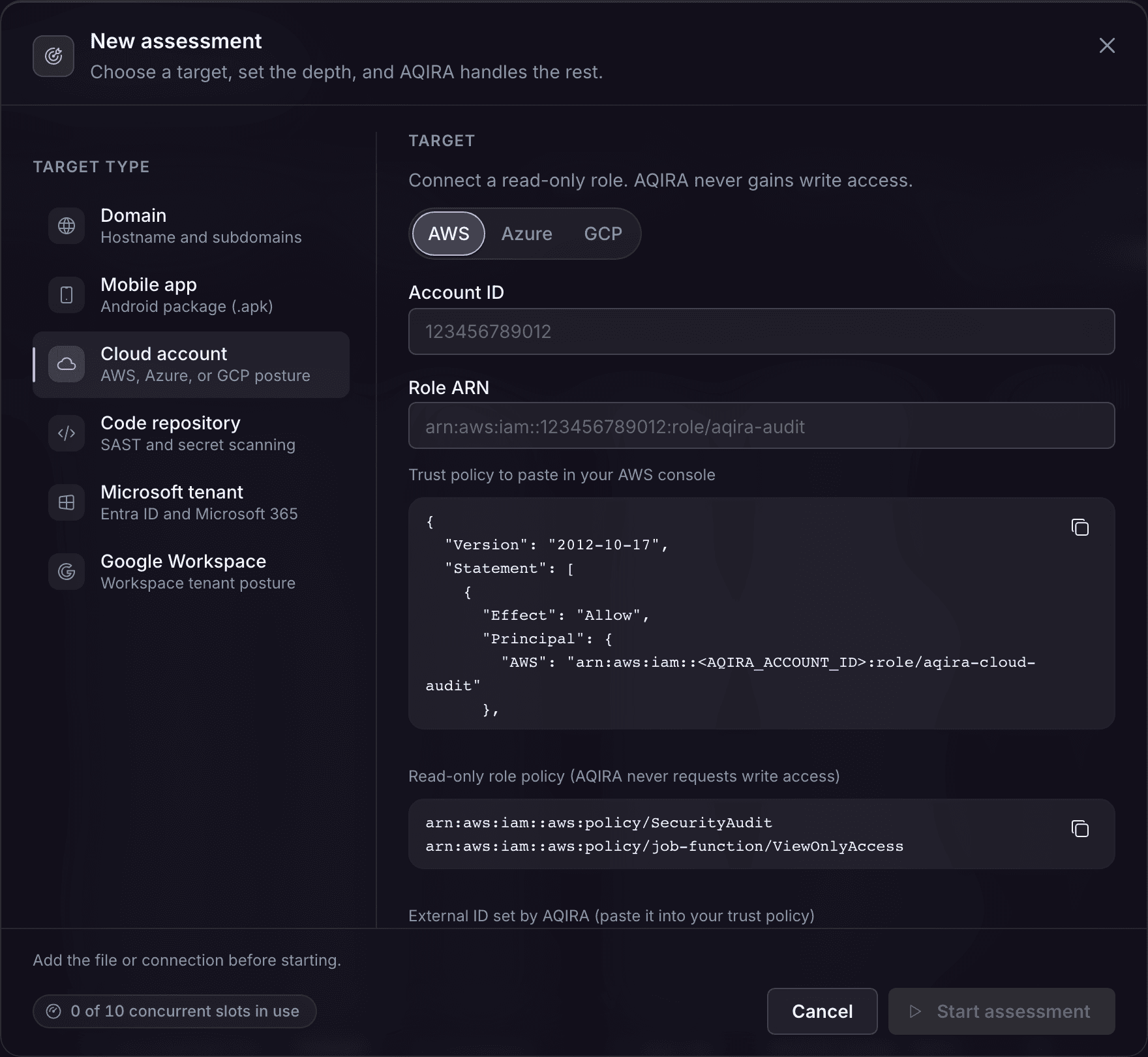
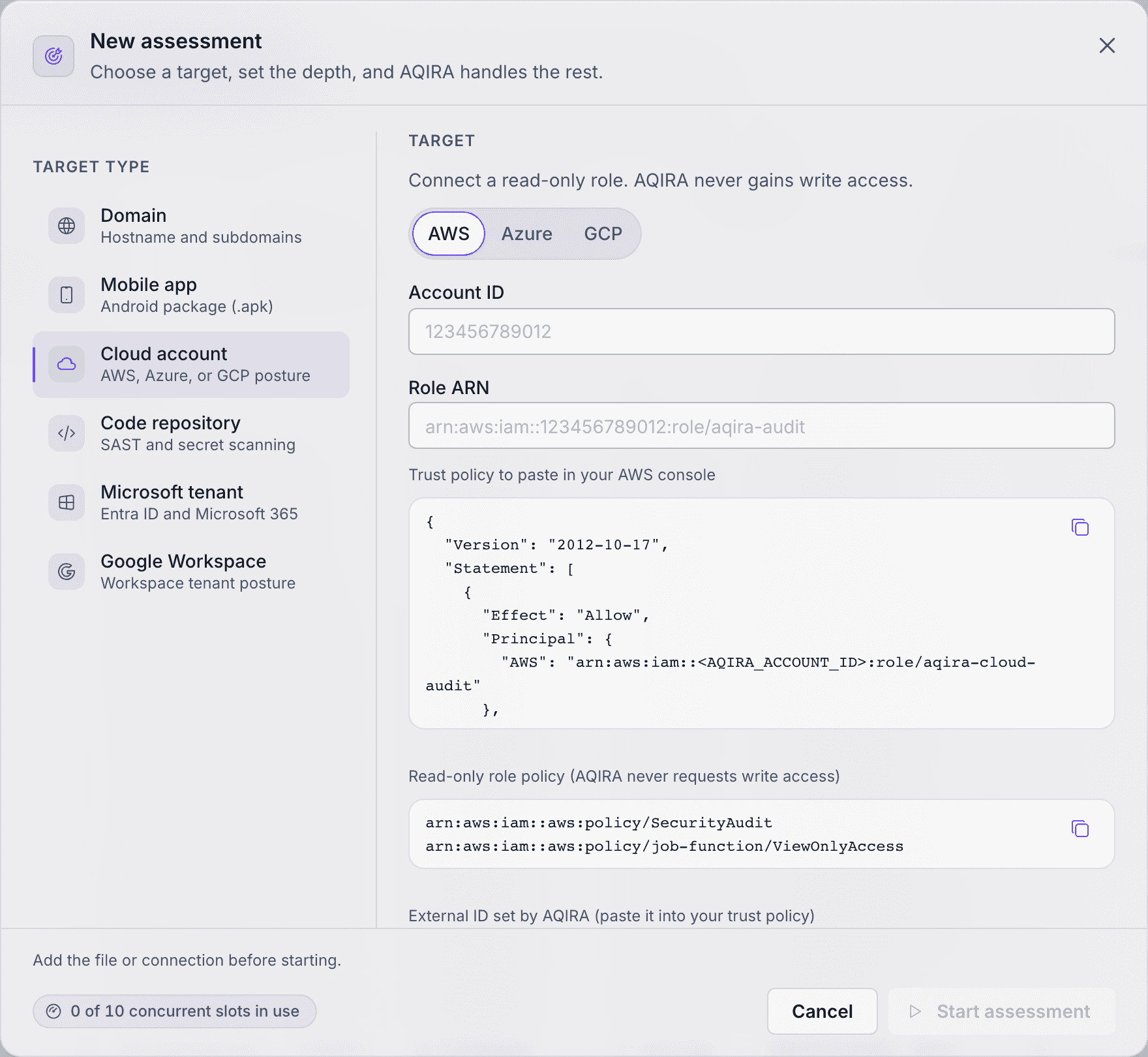
On a cloud account, ORION assumes the read-only role and inventories the account.
Probes web and API input handling, sessions and headers.
In the consoleReflected marker AQIRA-MARKER-web observed on /search; recorded as evidence, not exploited
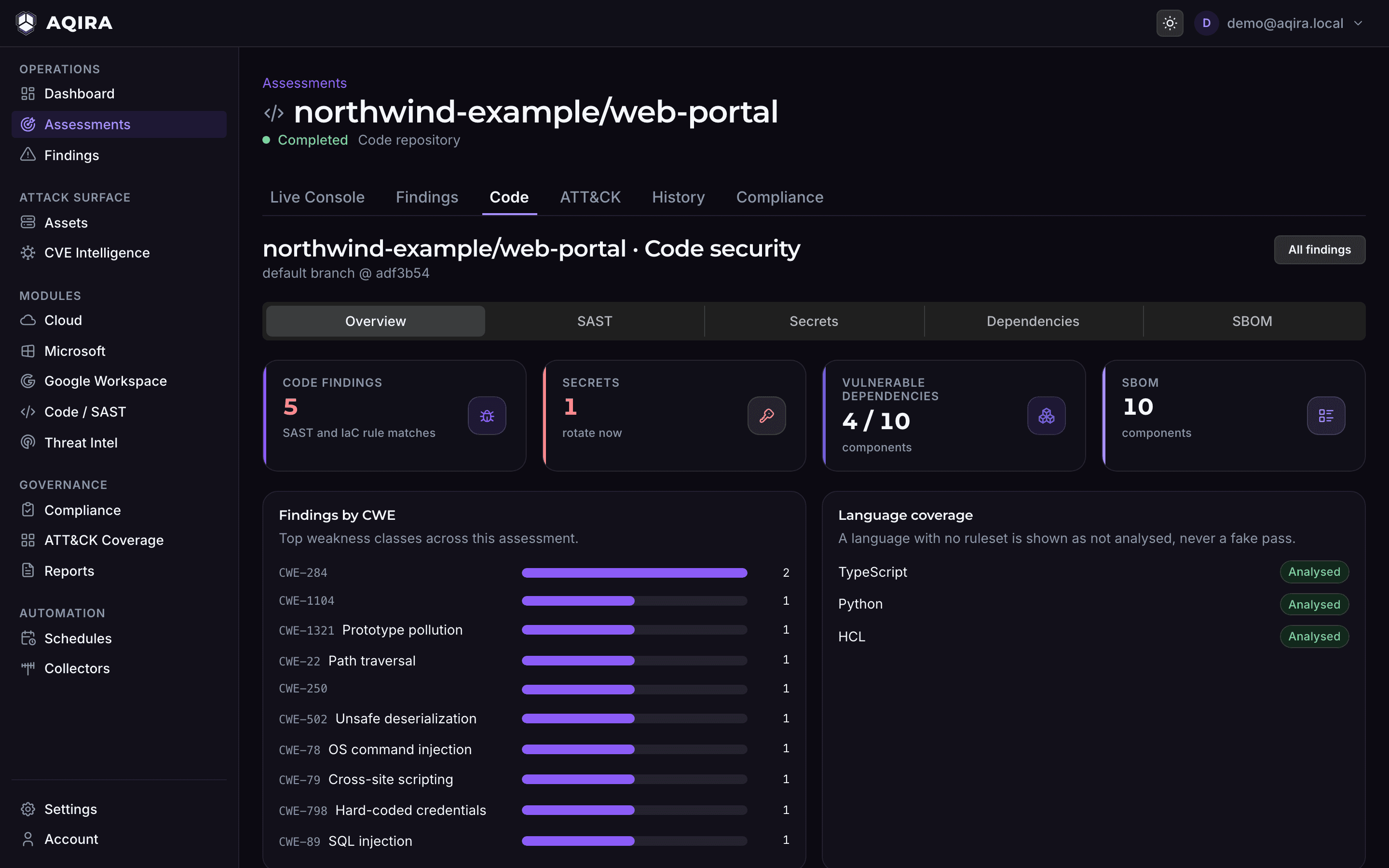
On a code repository, VEGA traces taint through the code and hunts committed secrets.
Assesses cloud, transport and the internal segment.
In the consoleEnumerated TLS configuration and exposed database listeners
On an Android app, ATLAS inventories bundled SDKs and reviews cryptography.
Validates exploitability to benign proof.
In the consoleValidating exploitability with benign probes; no state-changing requests
On a Microsoft 365 tenant, NOVA validates identity attack paths to benign proof.
Consolidates findings and maps them to control frameworks.
In the consoleMapping findings to ATT&CK, OWASP, NIST CSF, 800-53, 800-171 and COBIT
On every input, POLARIS also scores the input's framework: MASVS (Android), CIS (cloud), CIS and SCuBA (tenants).
Writes the client-deliverable report.
In the consoleReport v1 ready
On every input, SCRIBE writes the report from the evidence, in the chosen template and format.
Live console
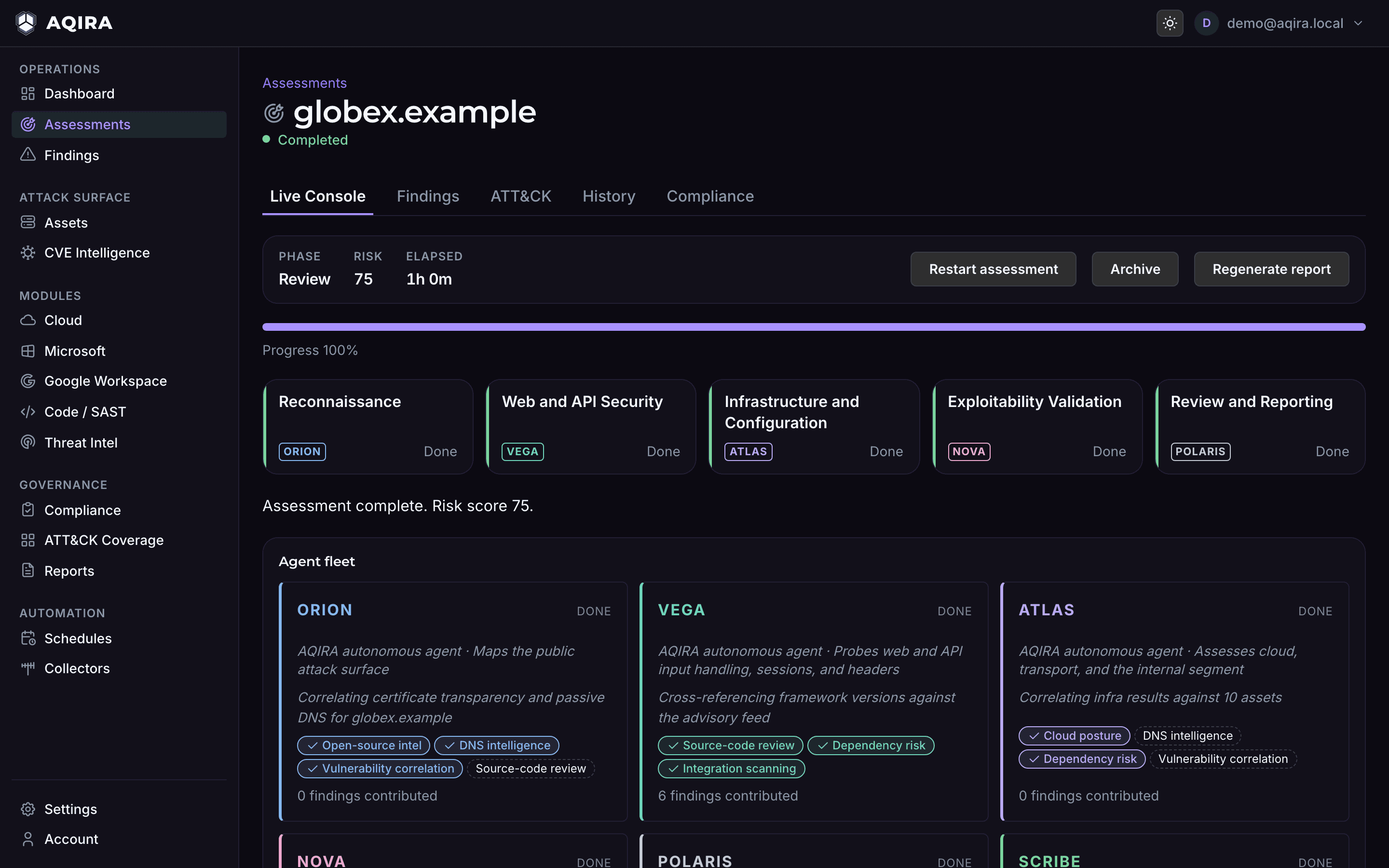
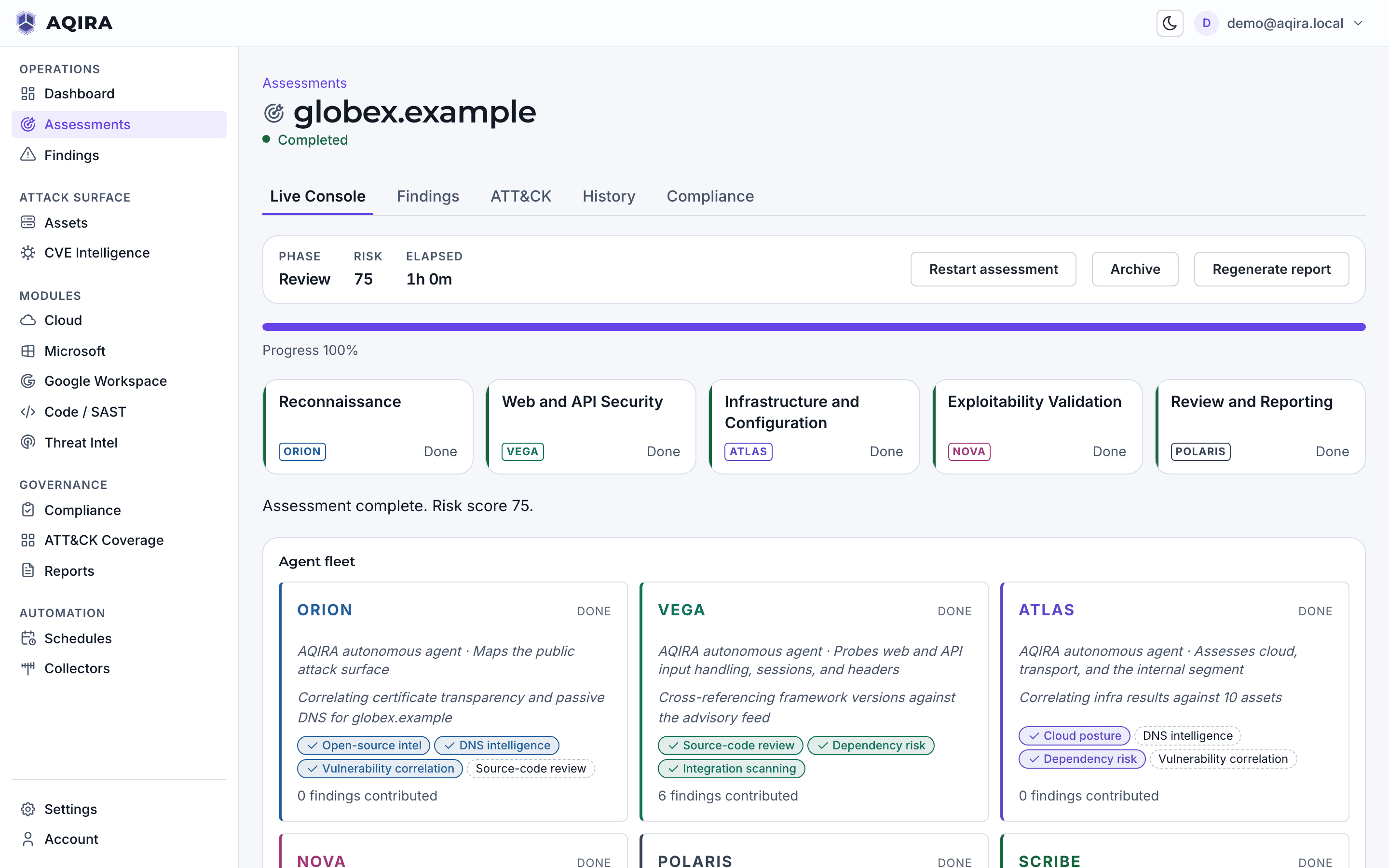
The live console shows the phase in progress, the assets found and findings arriving with their evidence. Below, a finished assessment of the demo domain acme.example.
ORION works outward from the root domain through certificate transparency, passive DNS and public hosts, recording how each asset was found.
VEGA tests input handling, sessions and headers with marker payloads only. A reflected marker is recorded as evidence, not exploited.
ATLAS checks transport, exposed services and cloud storage, then follows them inward; each bucket, database listener and internal host lands in the live feed.
NOVA validates exploitability with benign probes and no state-changing requests. Each finding arrives with severity, evidence, fix and confidence level.
POLARIS consolidates the findings, scores the risk and maps each to ATT&CK, OWASP, NIST and COBIT; SCRIBE writes the report from that evidence.


01ReconORION
ORION works outward from the root domain through certificate transparency, passive DNS and public hosts, recording how each asset was found.
02WebVEGA
VEGA tests input handling, sessions and headers with marker payloads only. A reflected marker is recorded as evidence, not exploited.
03InfraATLAS
ATLAS checks transport, exposed services and cloud storage, then follows them inward; each bucket, database listener and internal host lands in the live feed.
04ExploitNOVA
NOVA validates exploitability with benign probes and no state-changing requests. Each finding arrives with severity, evidence, fix and confidence level.
05ReviewPOLARIS
POLARIS consolidates the findings, scores the risk and maps each to ATT&CK, OWASP, NIST and COBIT; SCRIBE writes the report from that evidence.
Each input starts from the same New assessment step, runs five phases of its own, and lands in one console and one report.
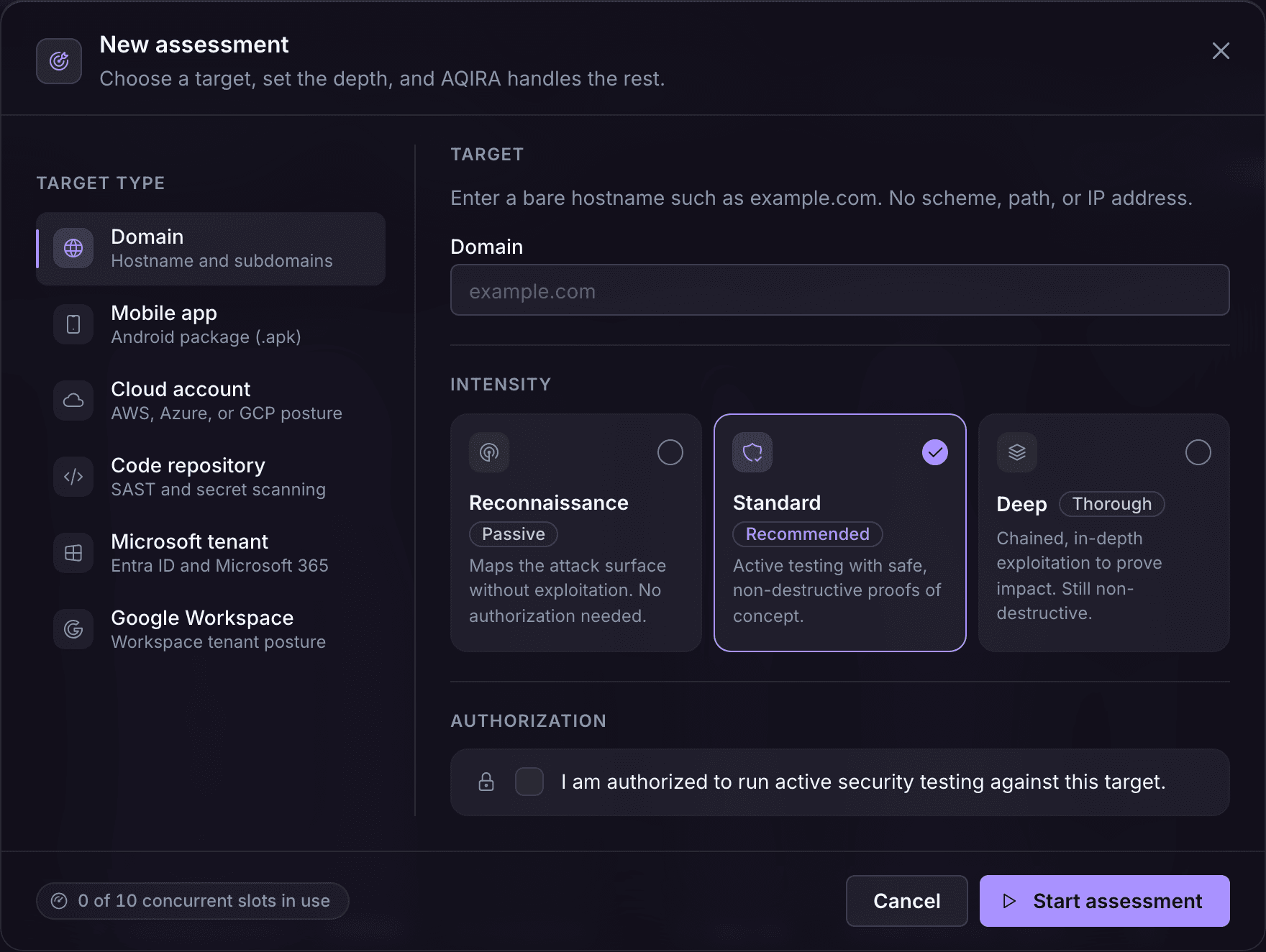

The five phases
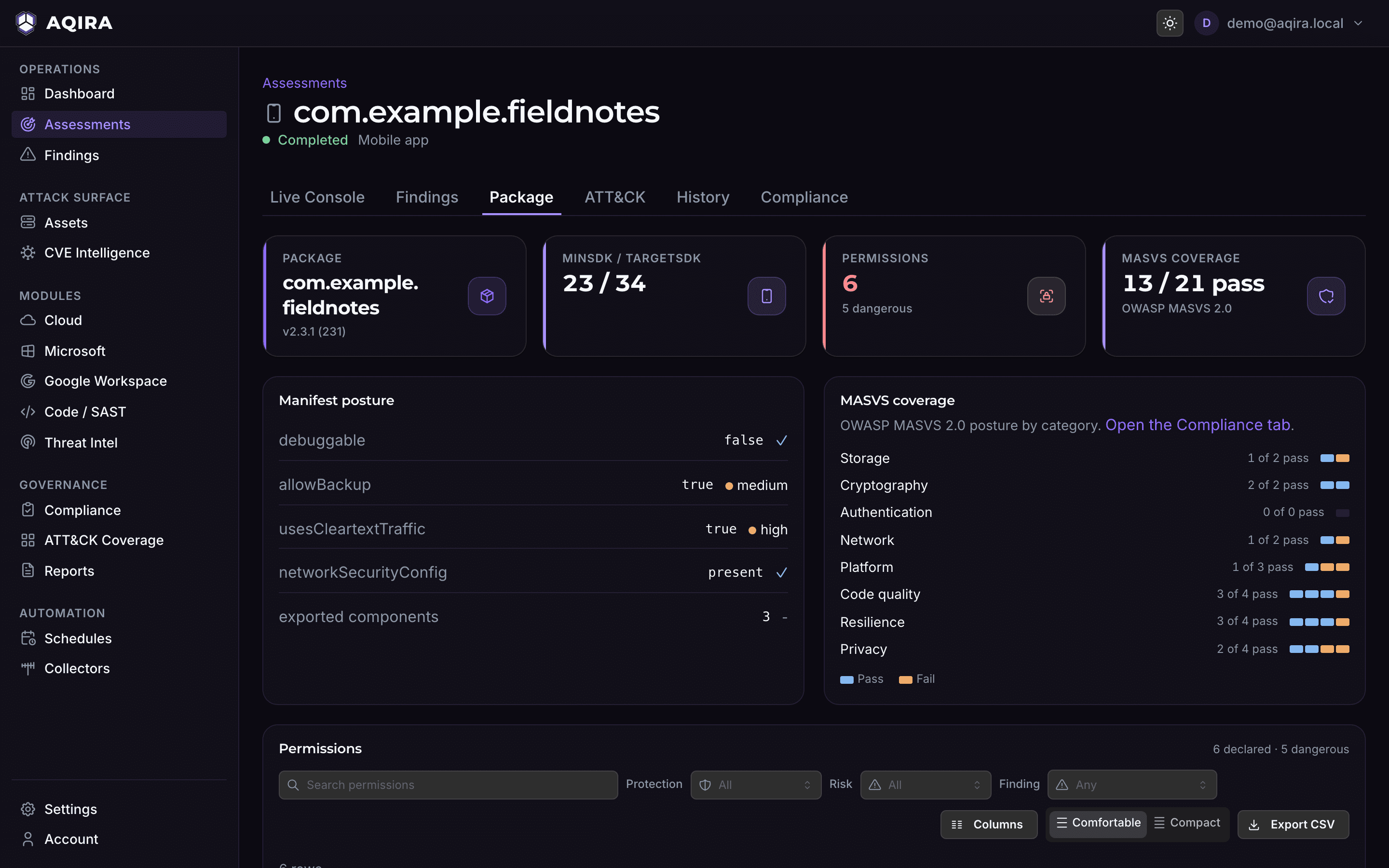
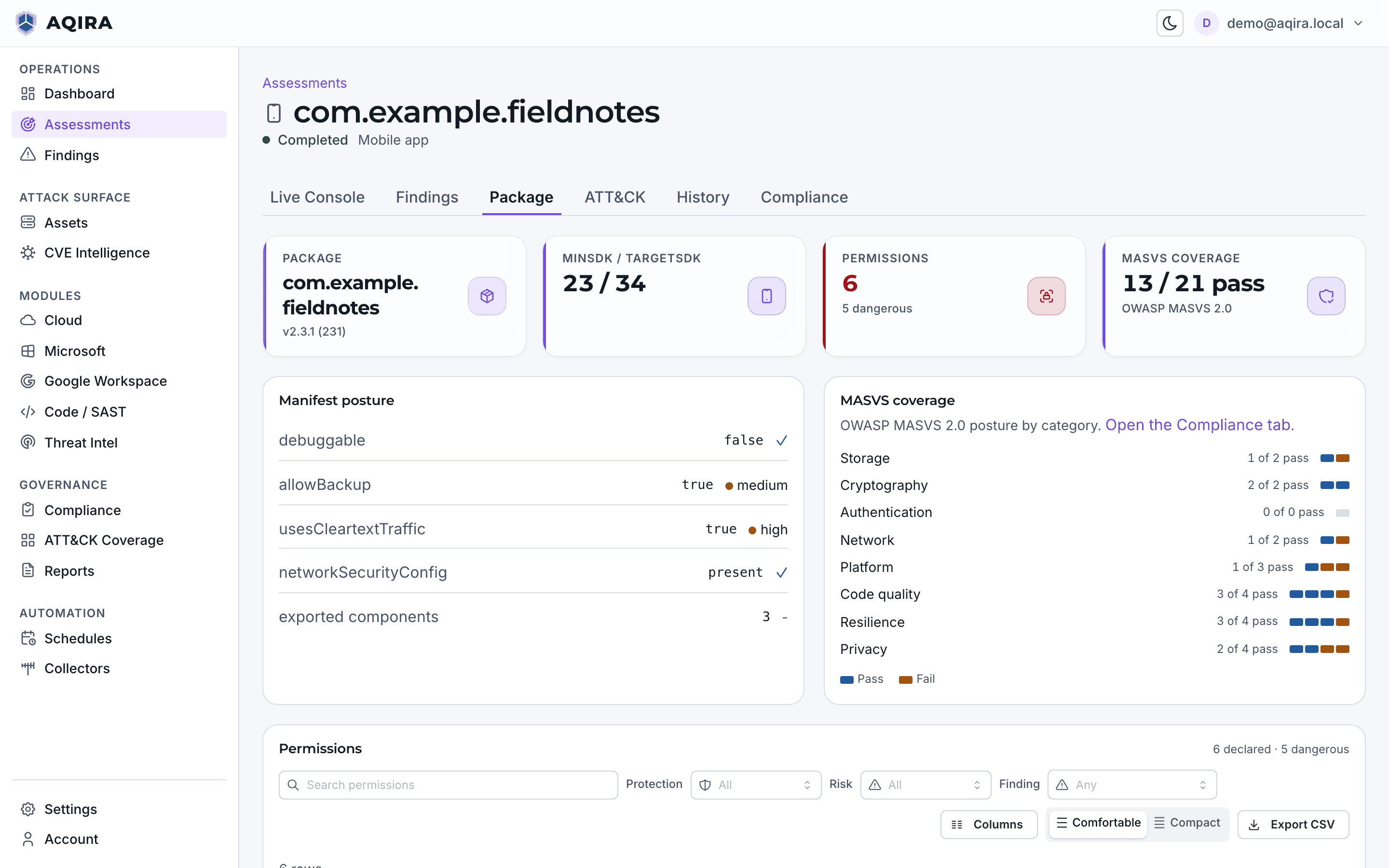


The five phases
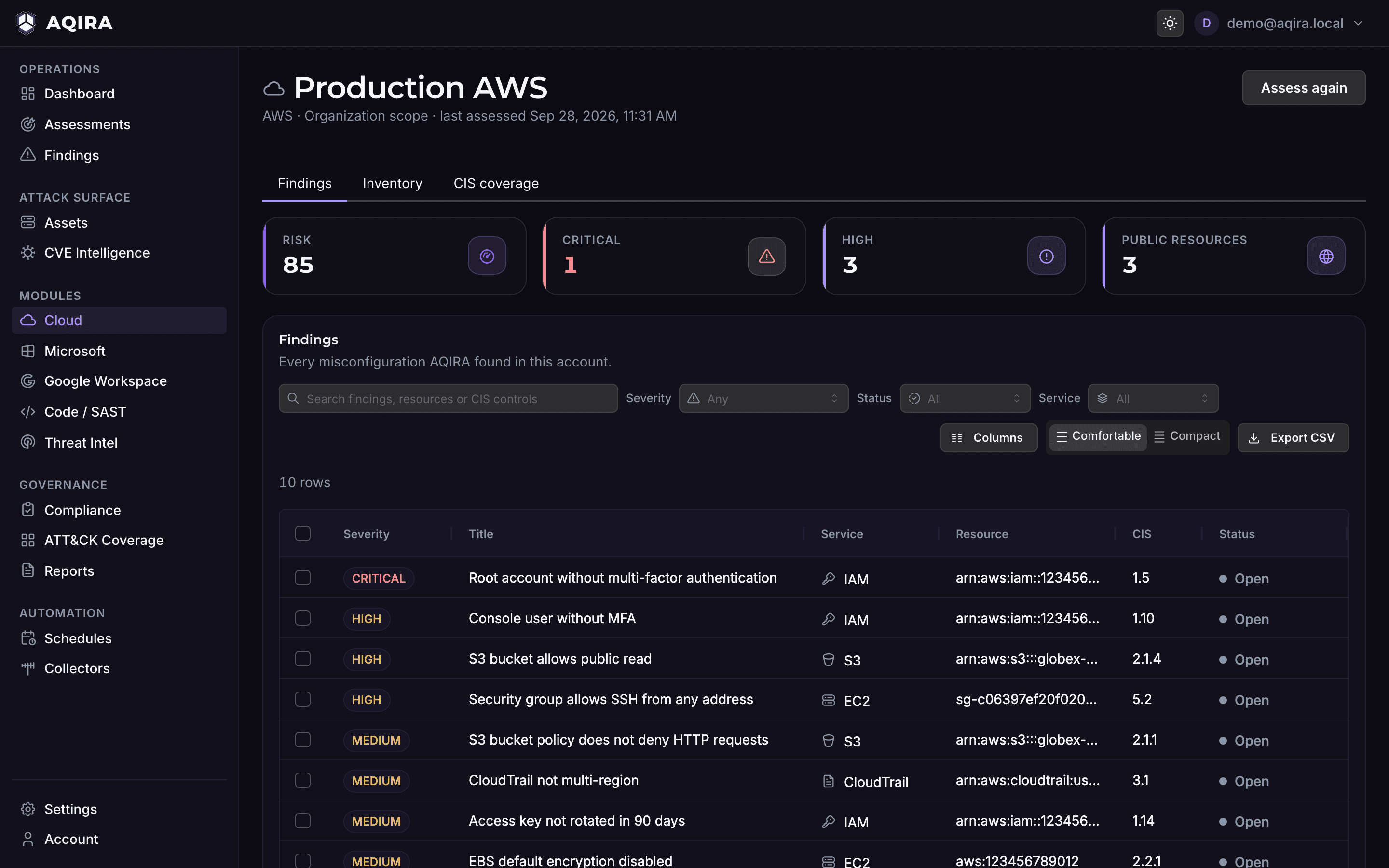
The five phases

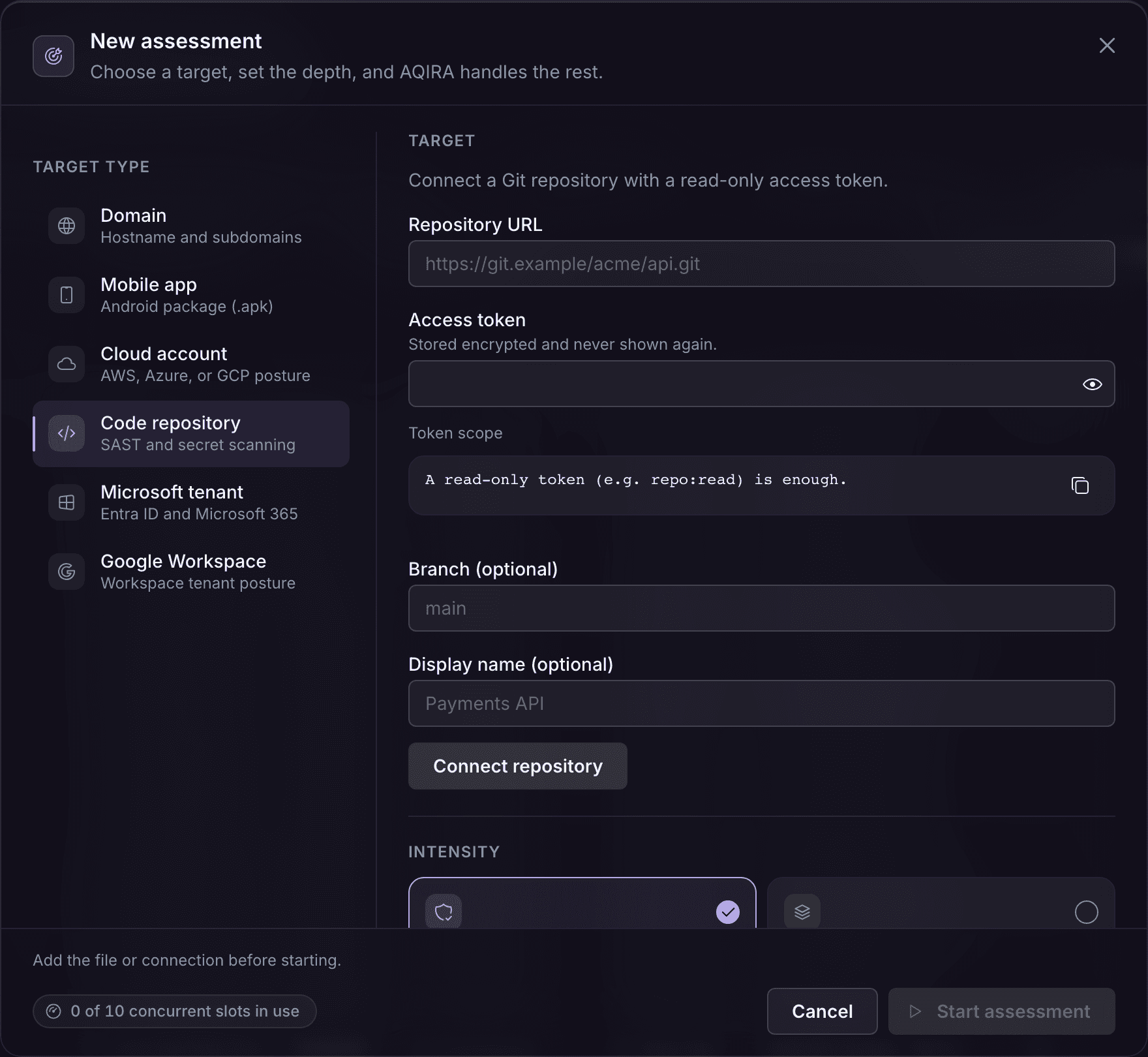
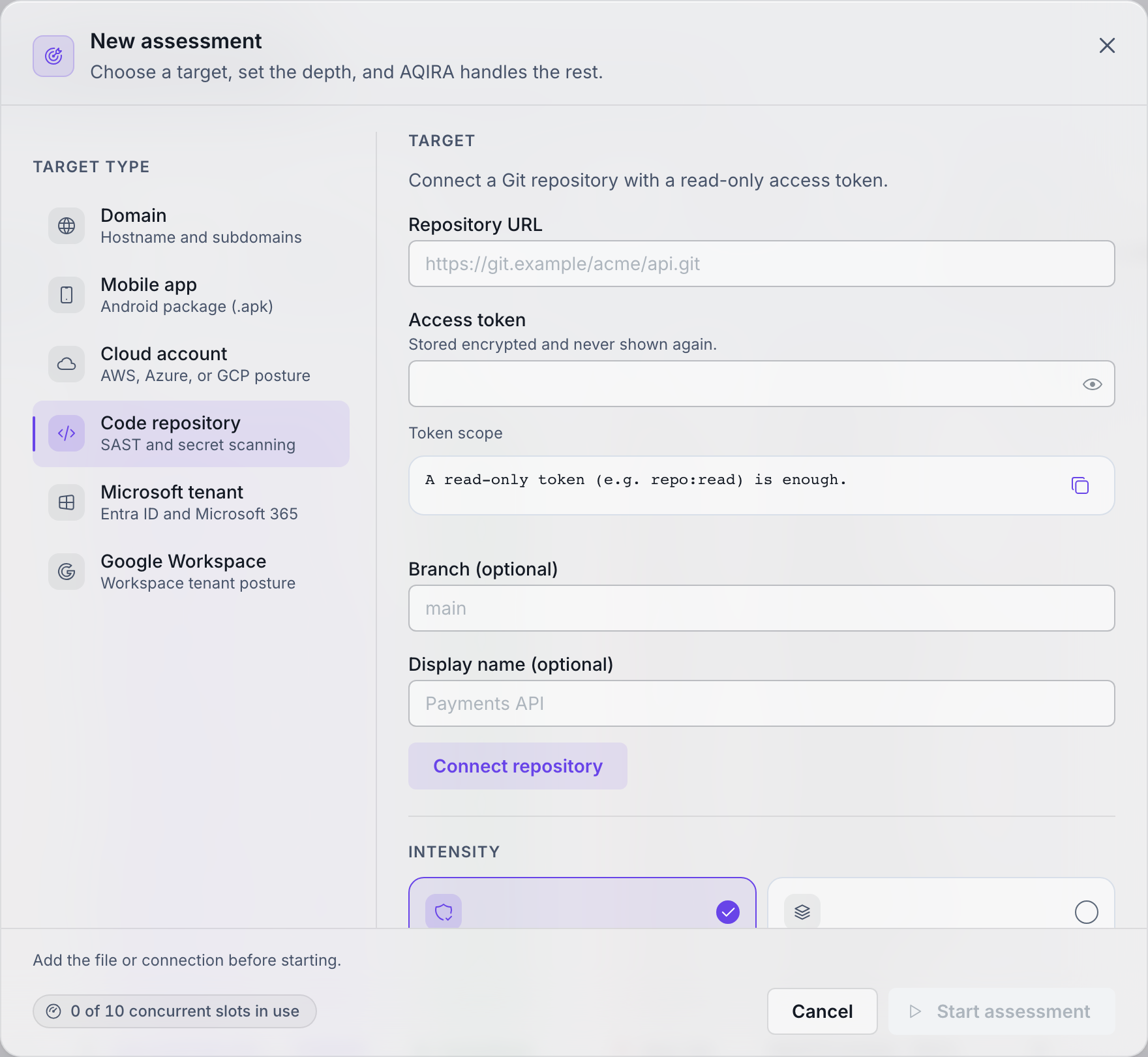
The five phases
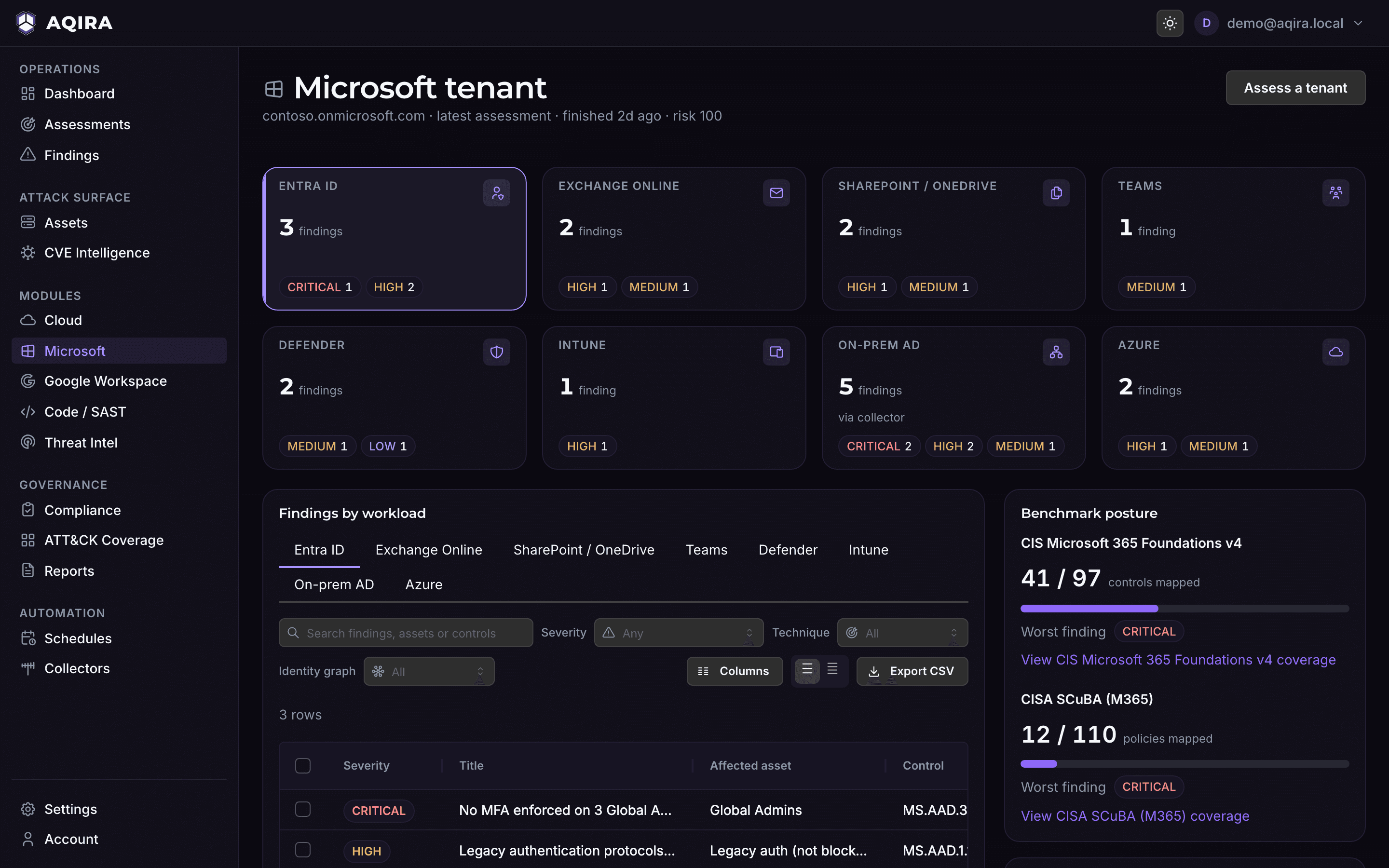
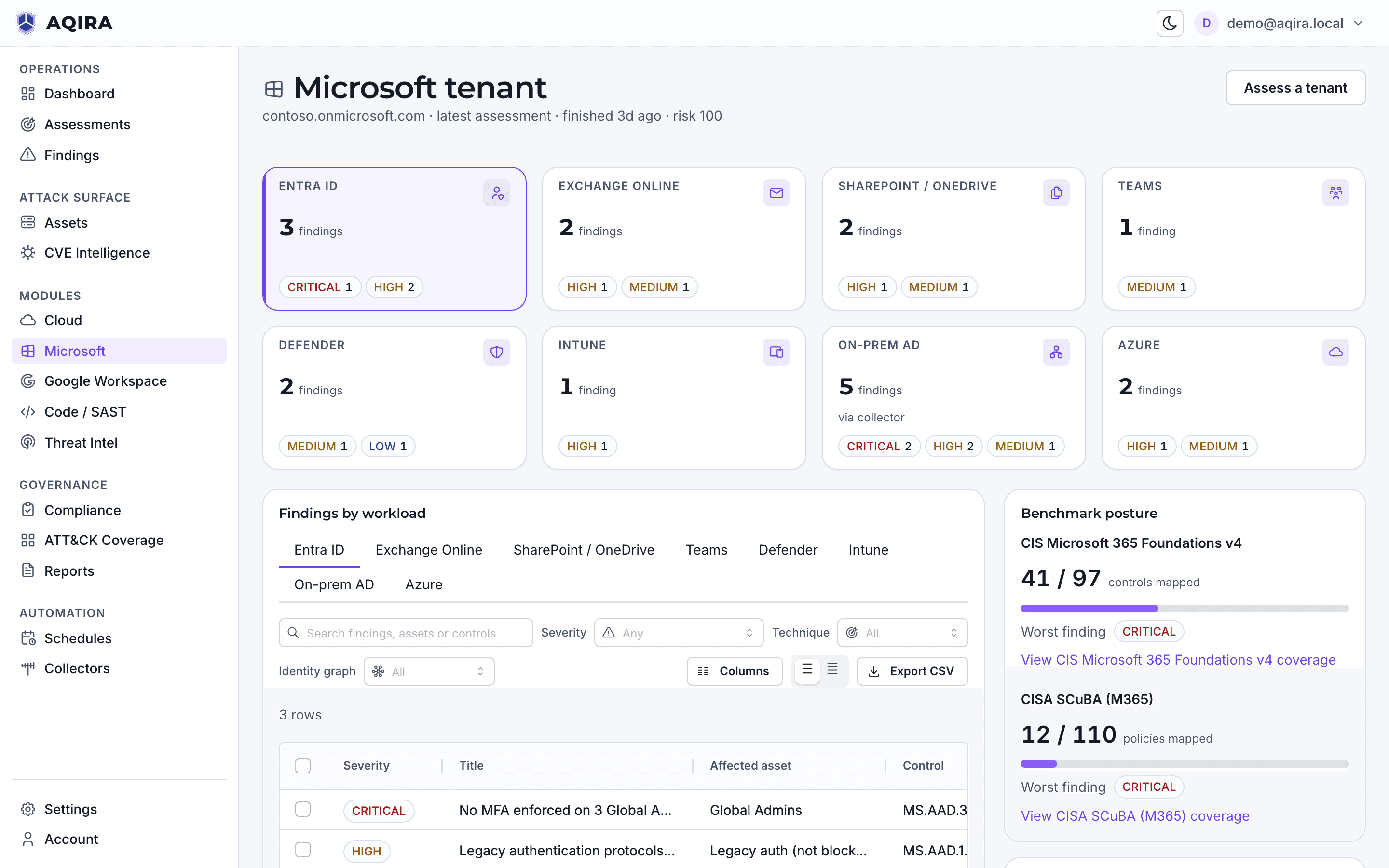
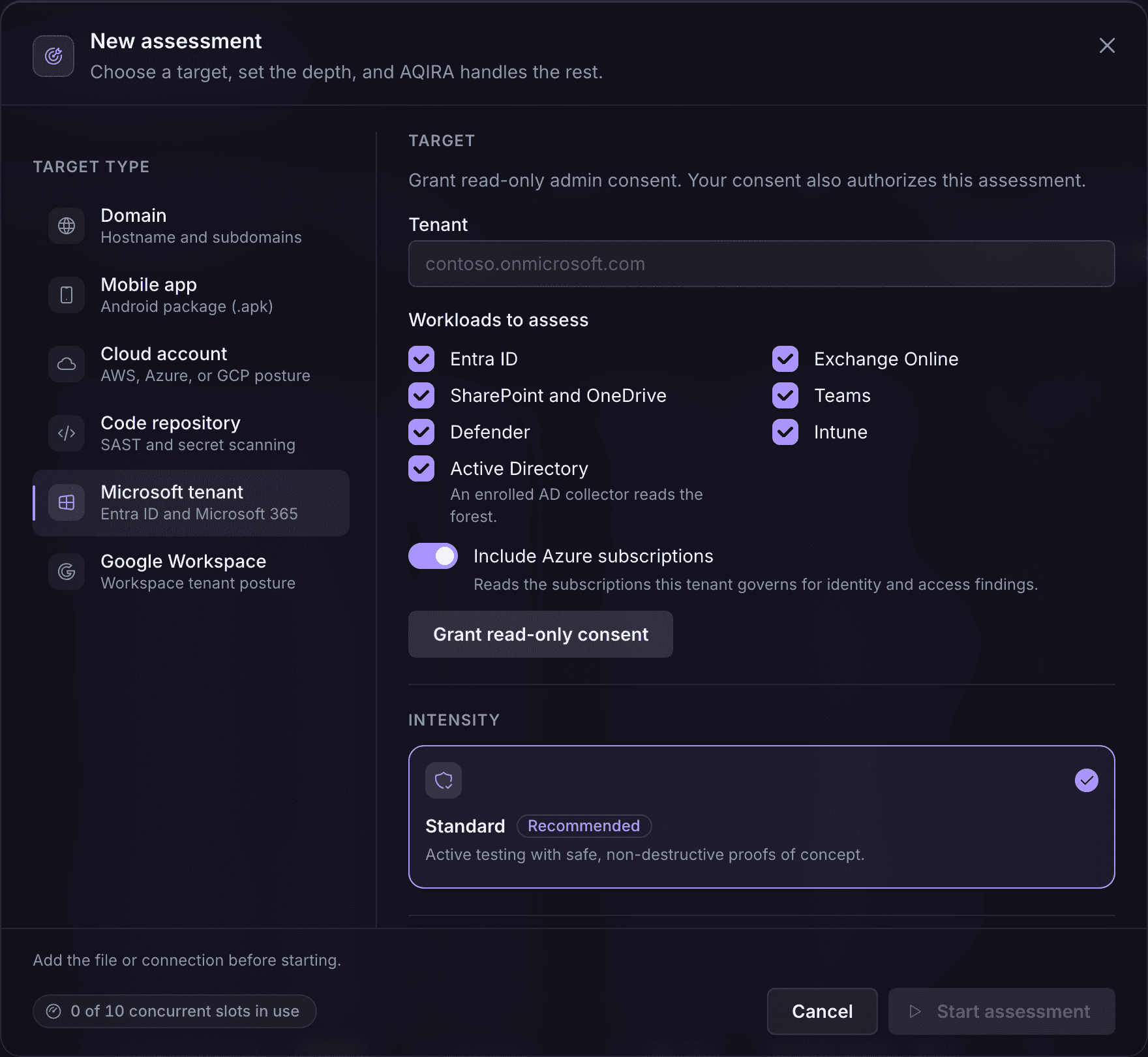
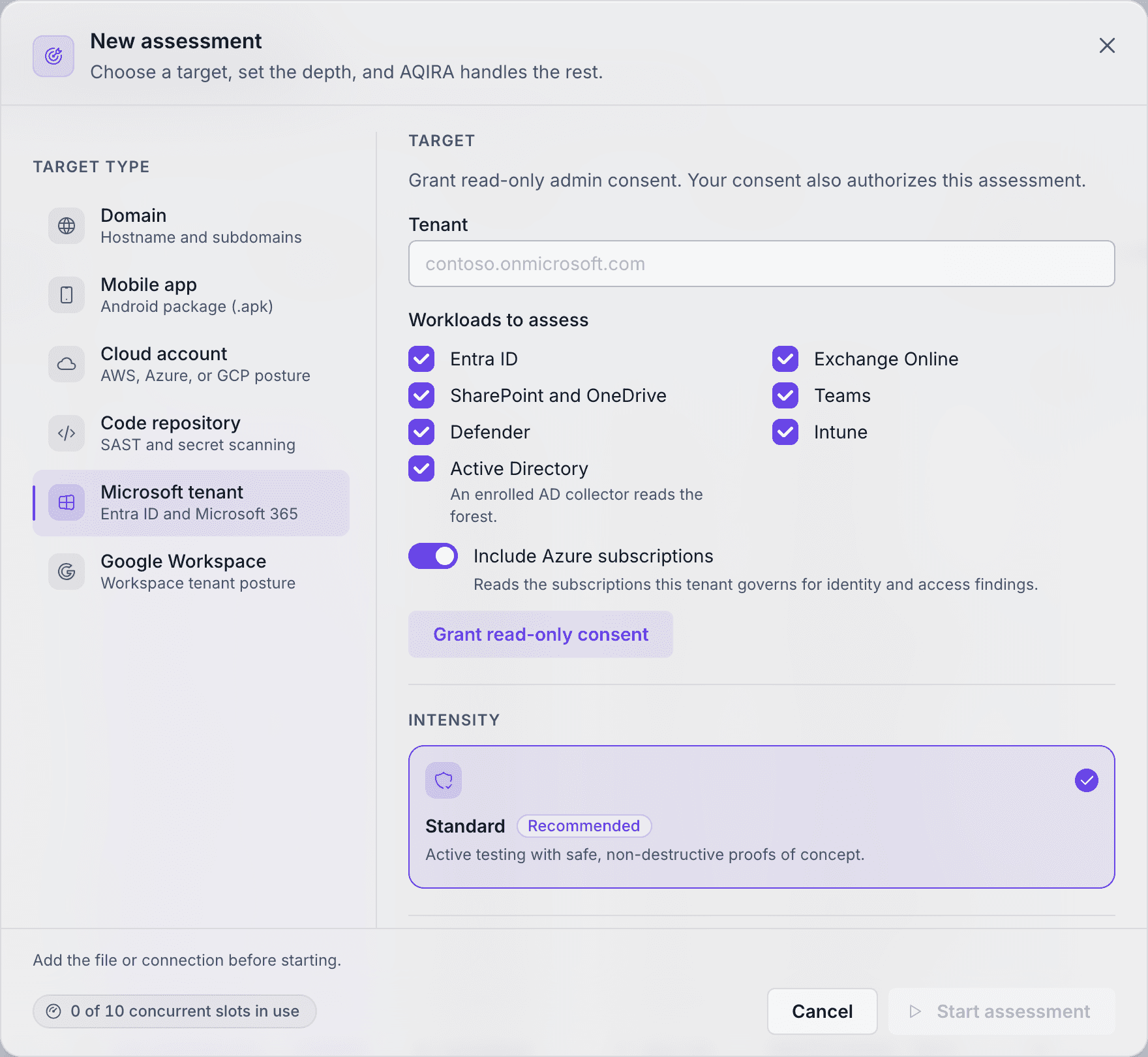
The five phases
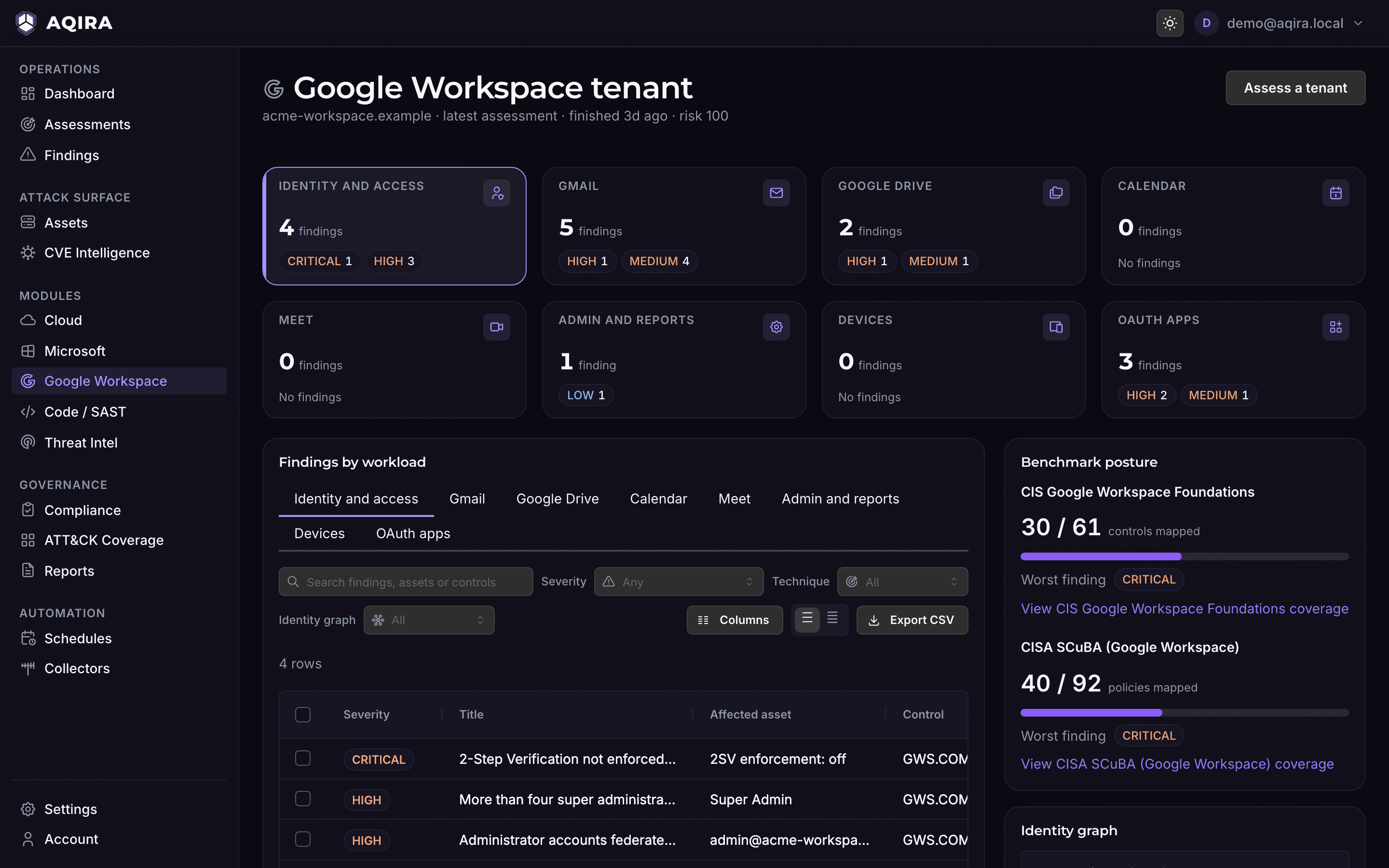
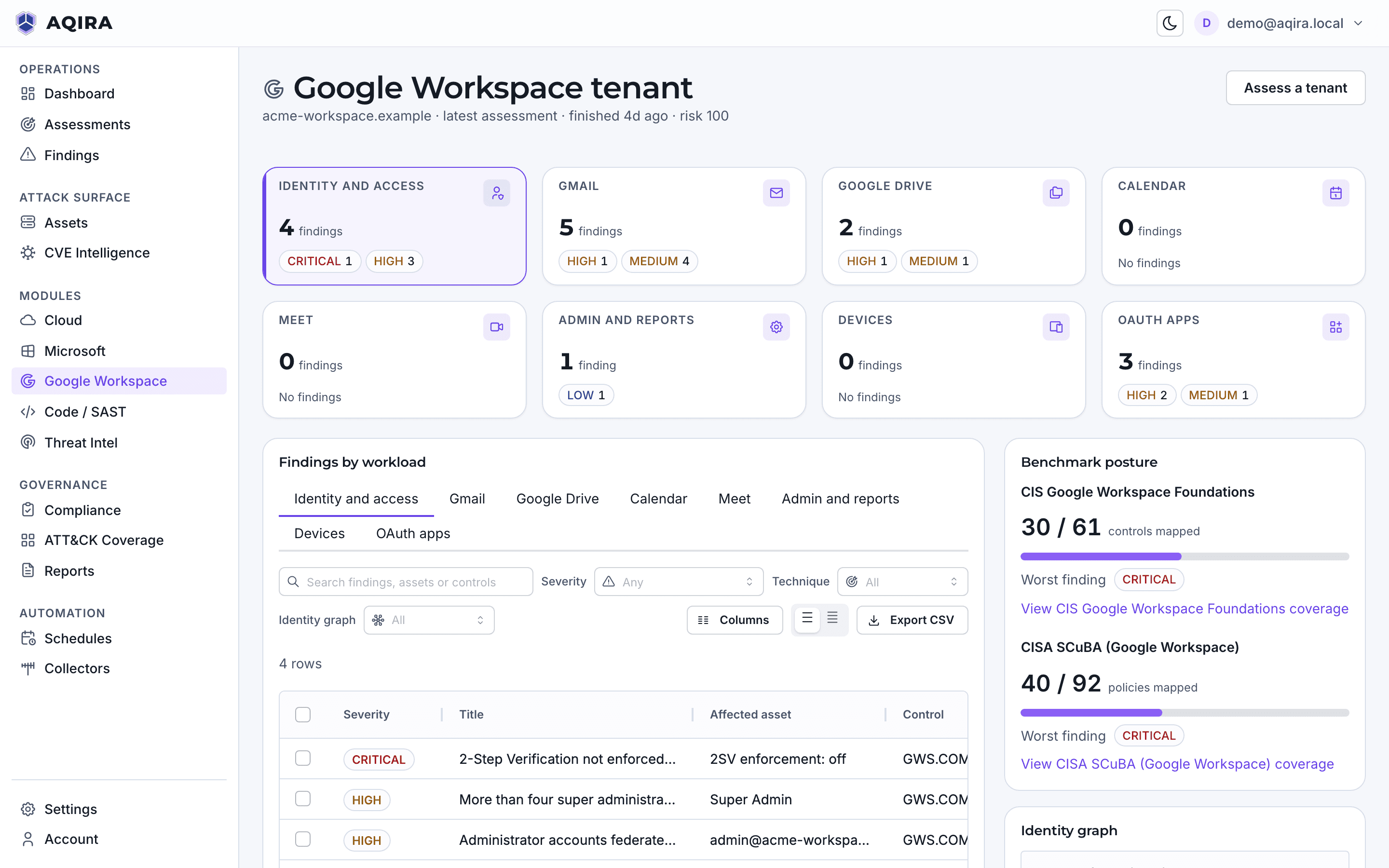
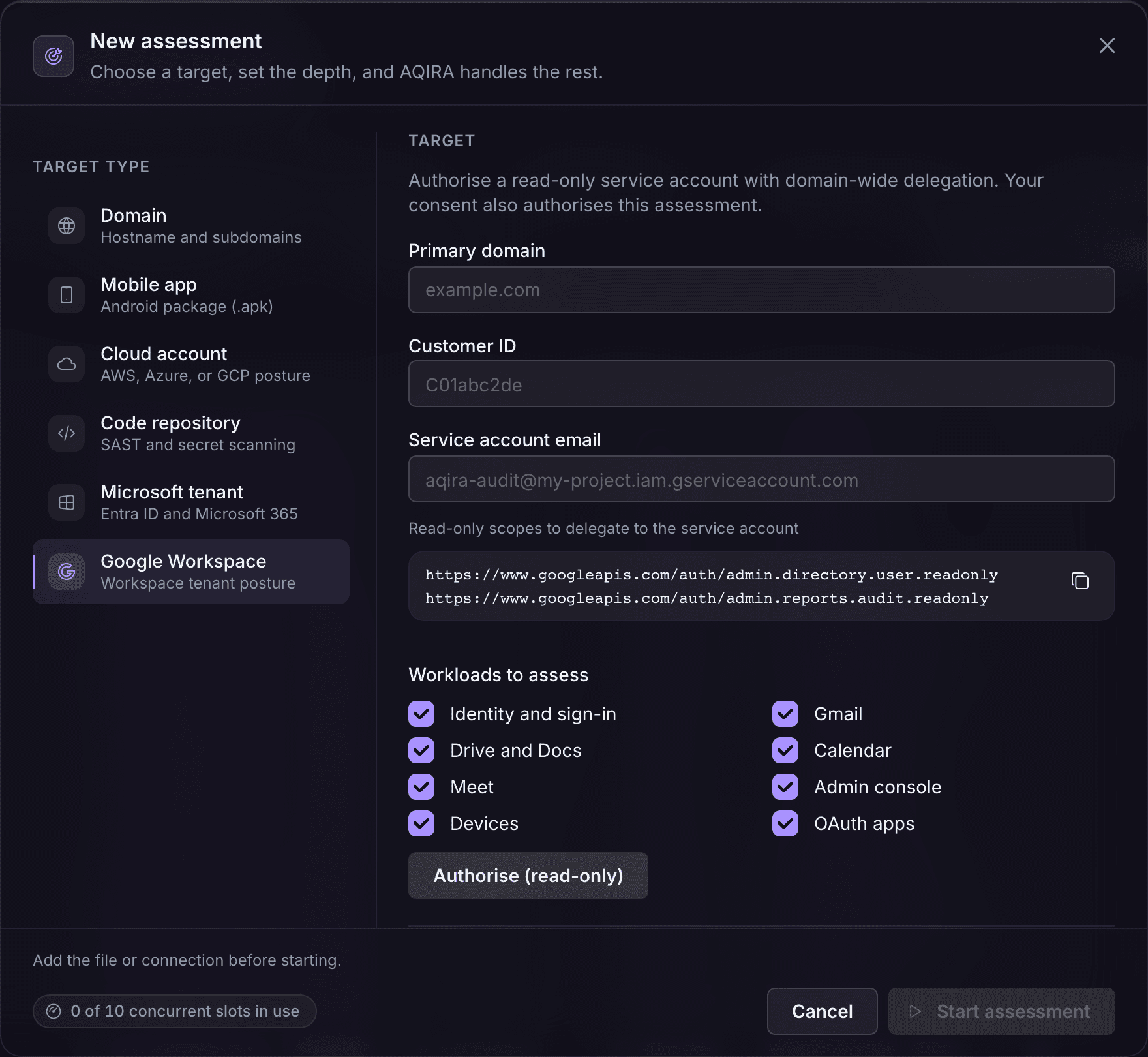
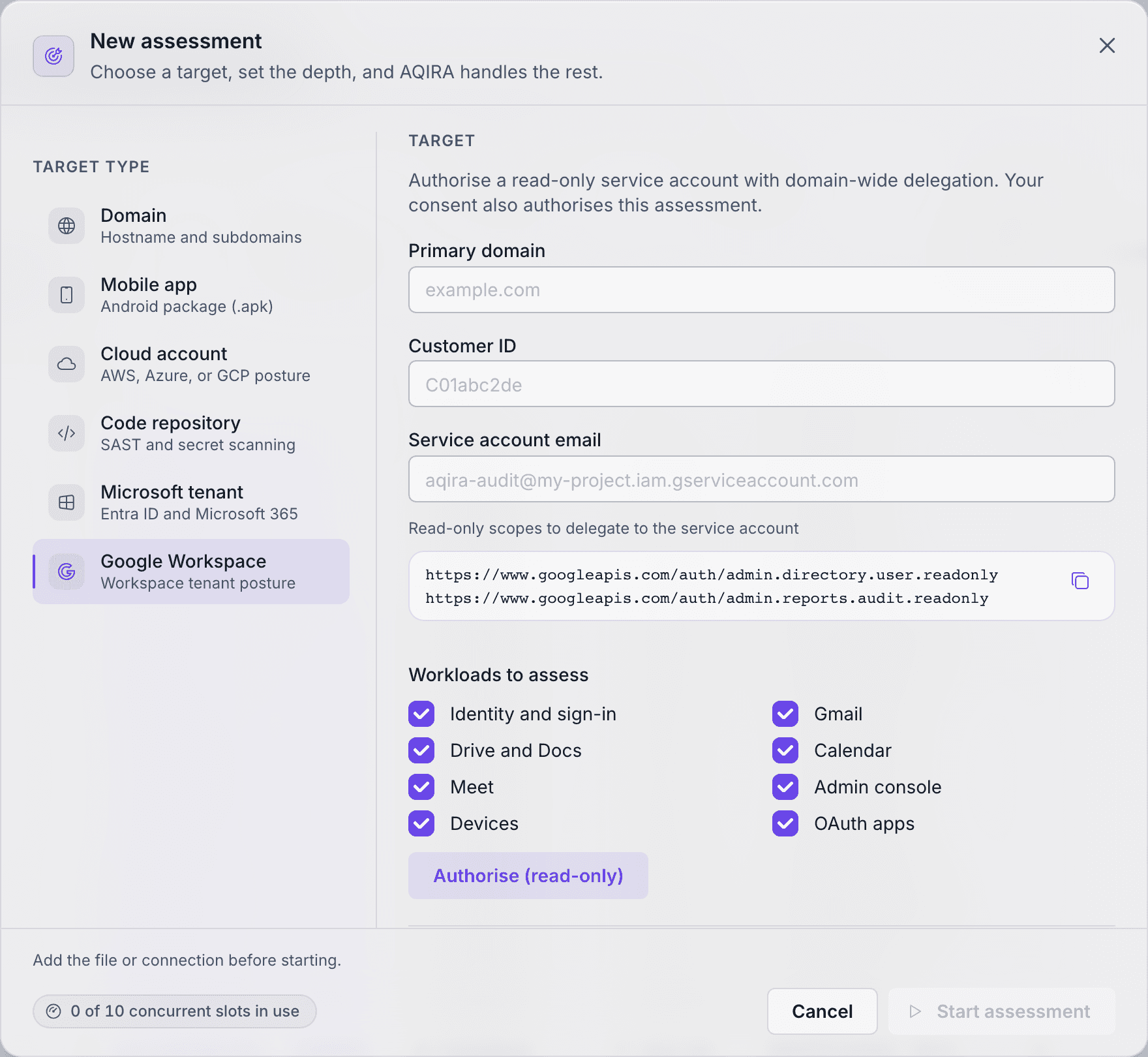
The five phases
On every input, findings are also mapped to ATT&CK, OWASP, NIST CSF, NIST SP 800-53, NIST SP 800-171 and COBIT, and land in one console and one report.
Evidence and PoC, Reproduce, Remediation, Mappings
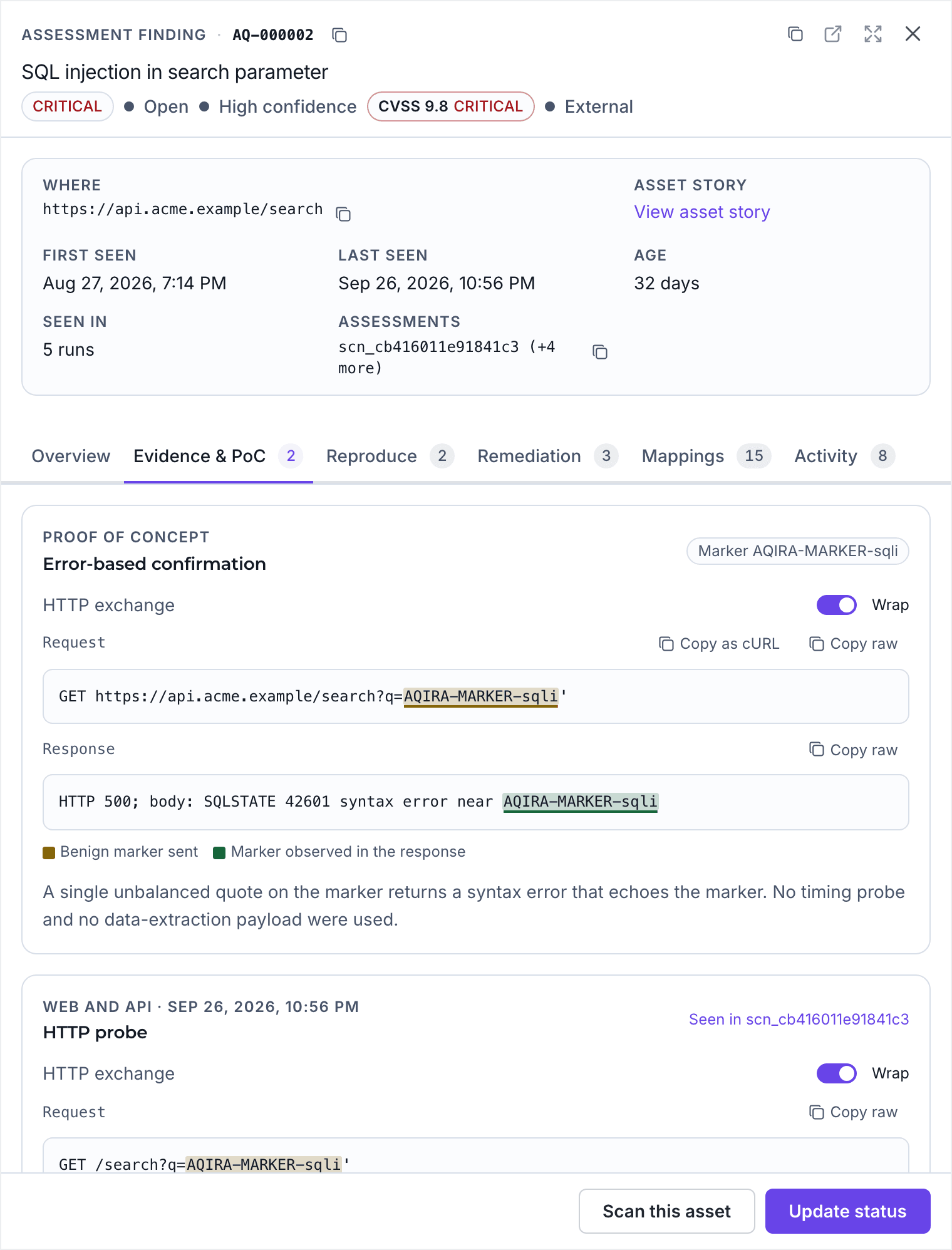
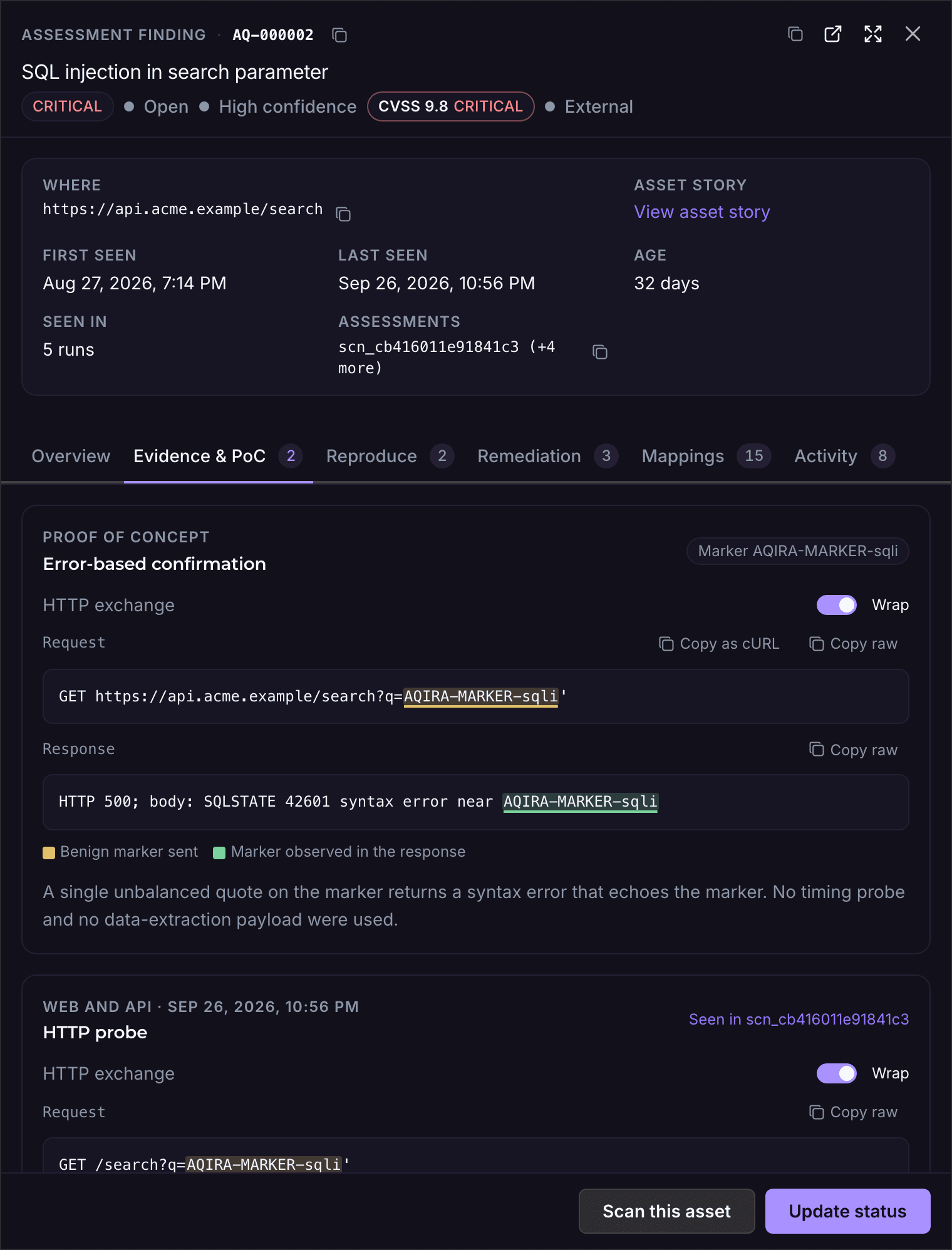
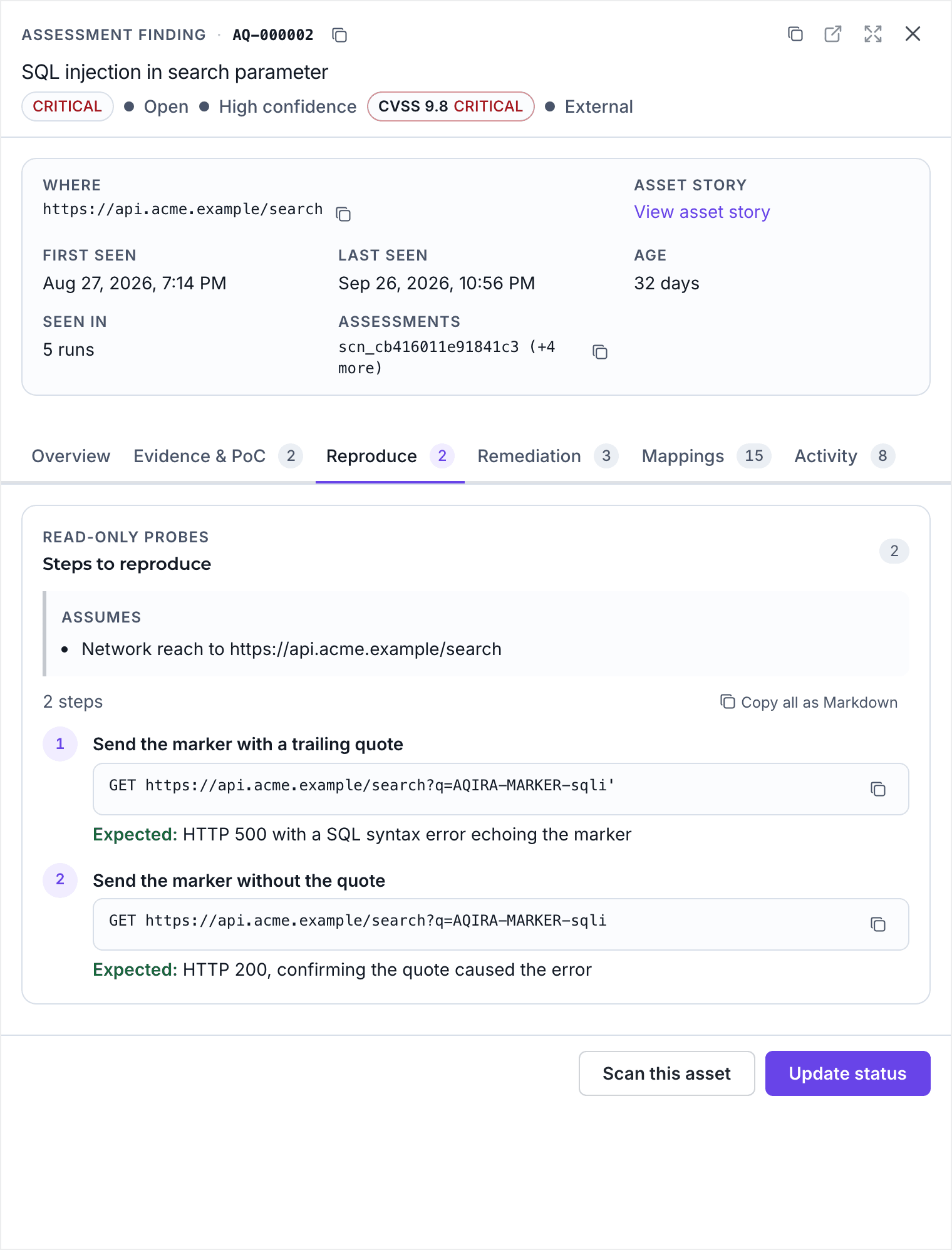
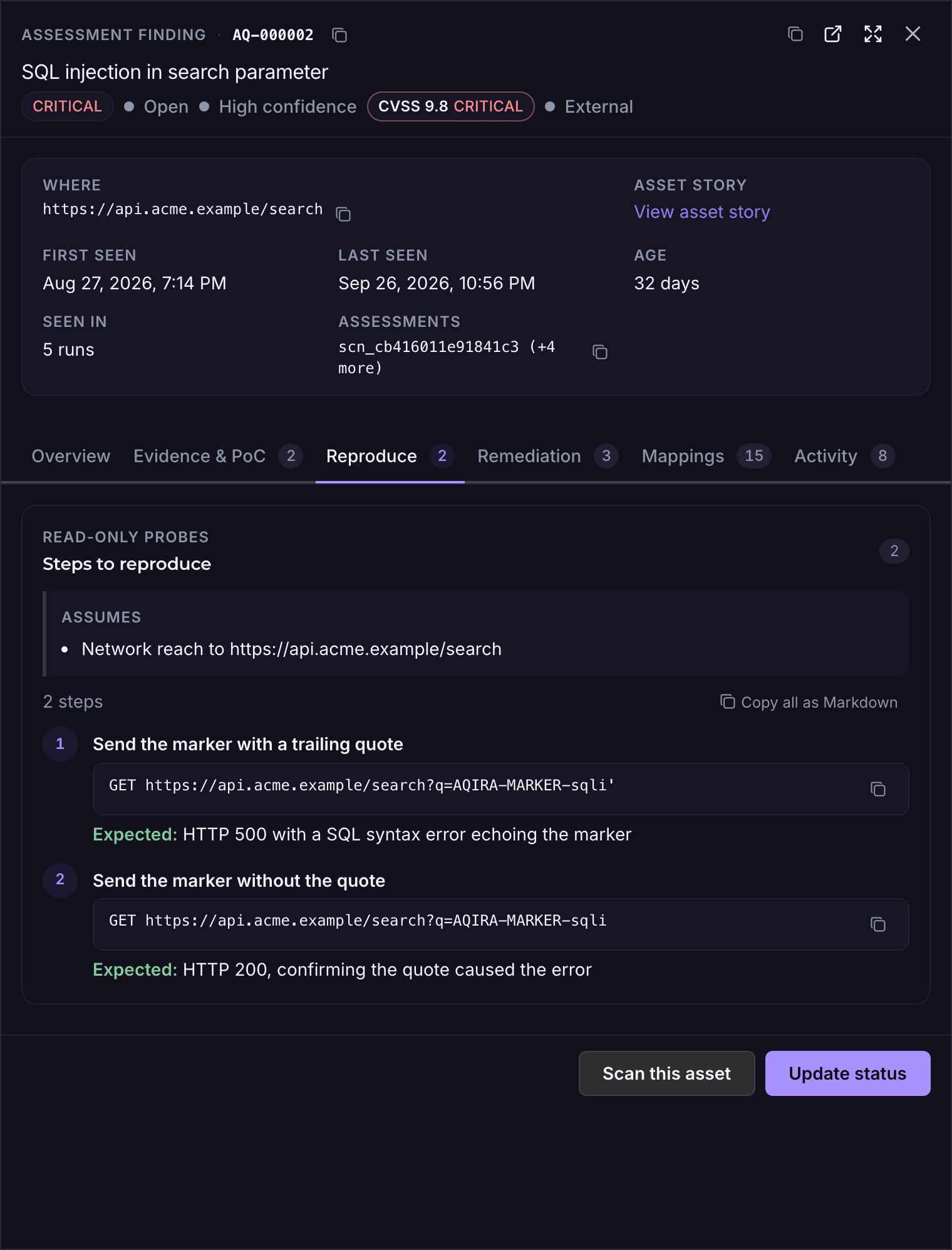
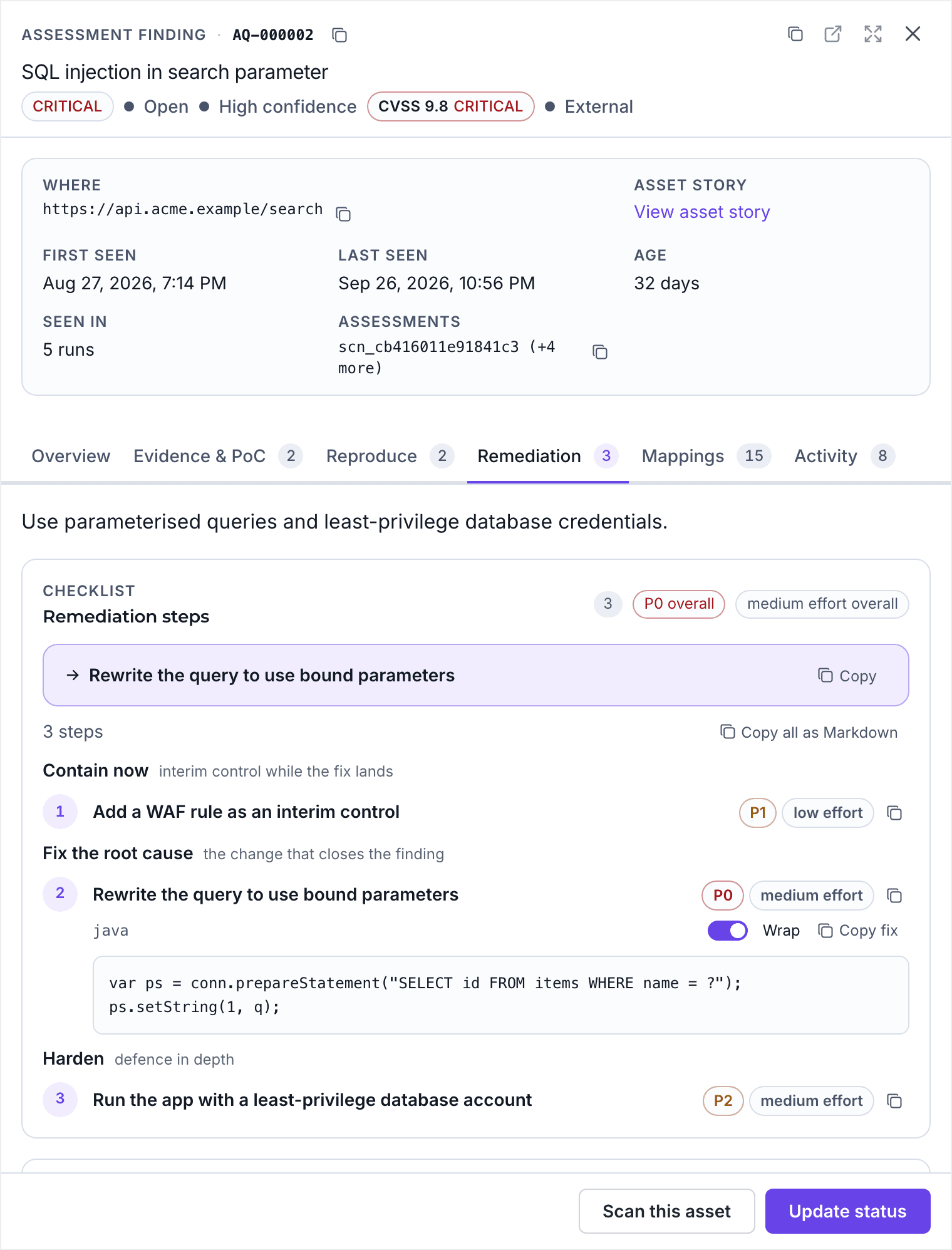
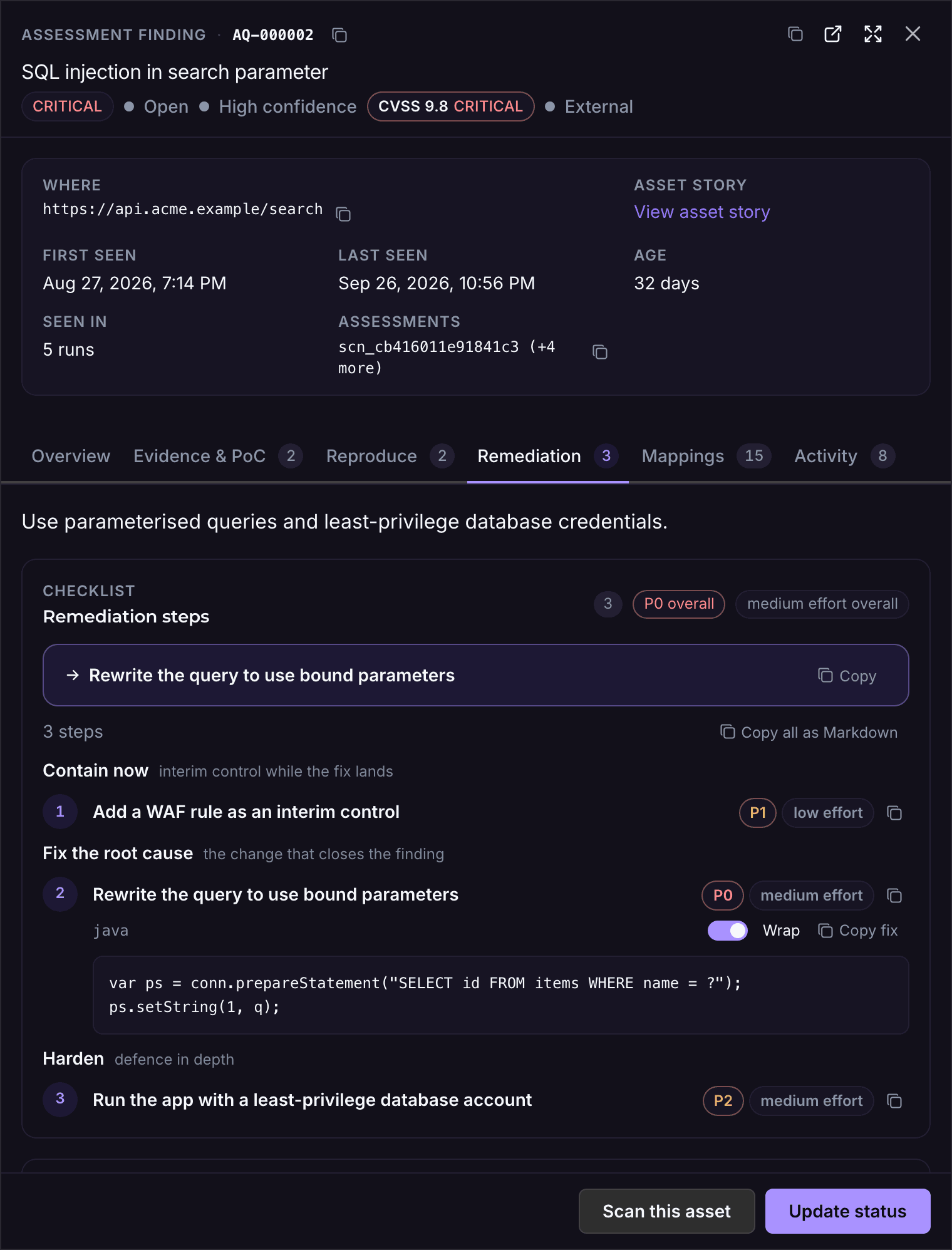
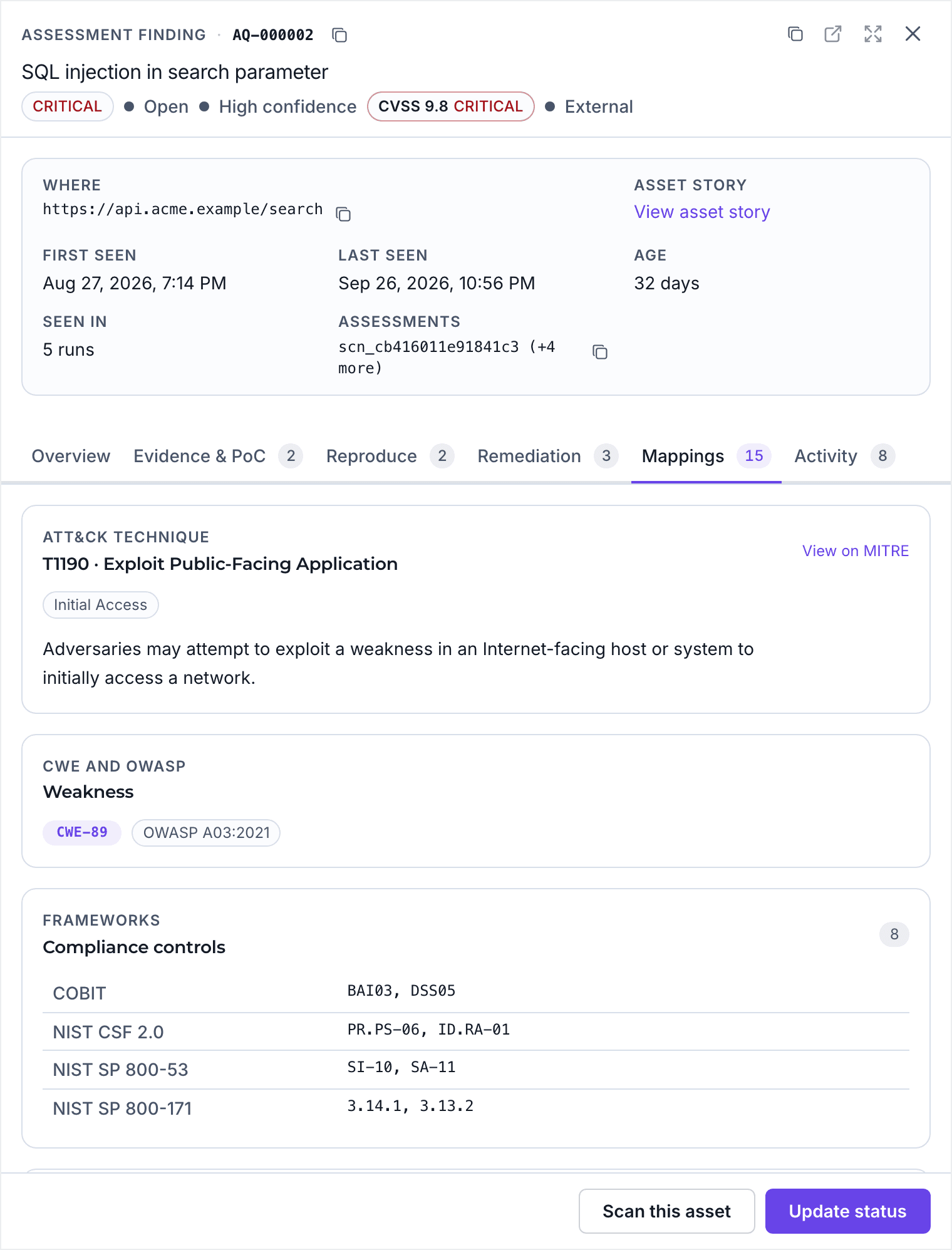
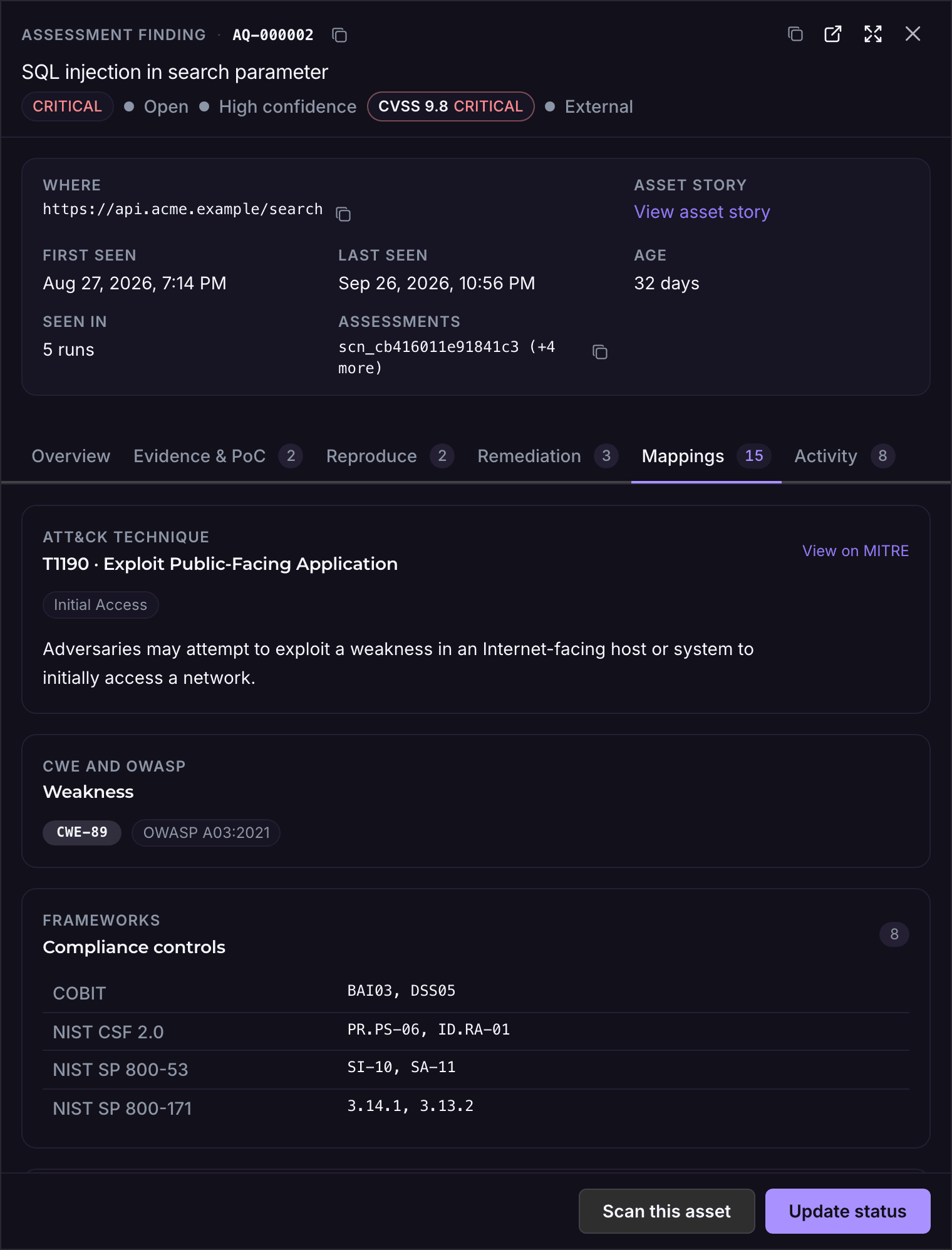
Each finding carries evidence, read-only steps to reproduce it, benign proof where an exploit was validated, remediation in priority order, and its ATT&CK technique and MITRE's mitigations where one applies. Below: a SQL injection from the demo assessment of acme.example, tab by tab.
Evidence and PoC
The request and response, with the benign marker highlighted in both: proof the input reaches the query without taking anything from the database.
Reproduce
Read-only steps in order, each with the request to send and the response to expect, to confirm the finding before the fix and after it.
Remediation
Contain, fix the root cause, then harden. Each step carries a priority and an effort; the fix includes the code change.
Mappings
The ATT&CK technique and MITRE's mitigations for the SOC, the CWE and OWASP category for developers, and the controls it touches for your auditors.
ATT&CK, compliance, reports, portfolio, enterprise
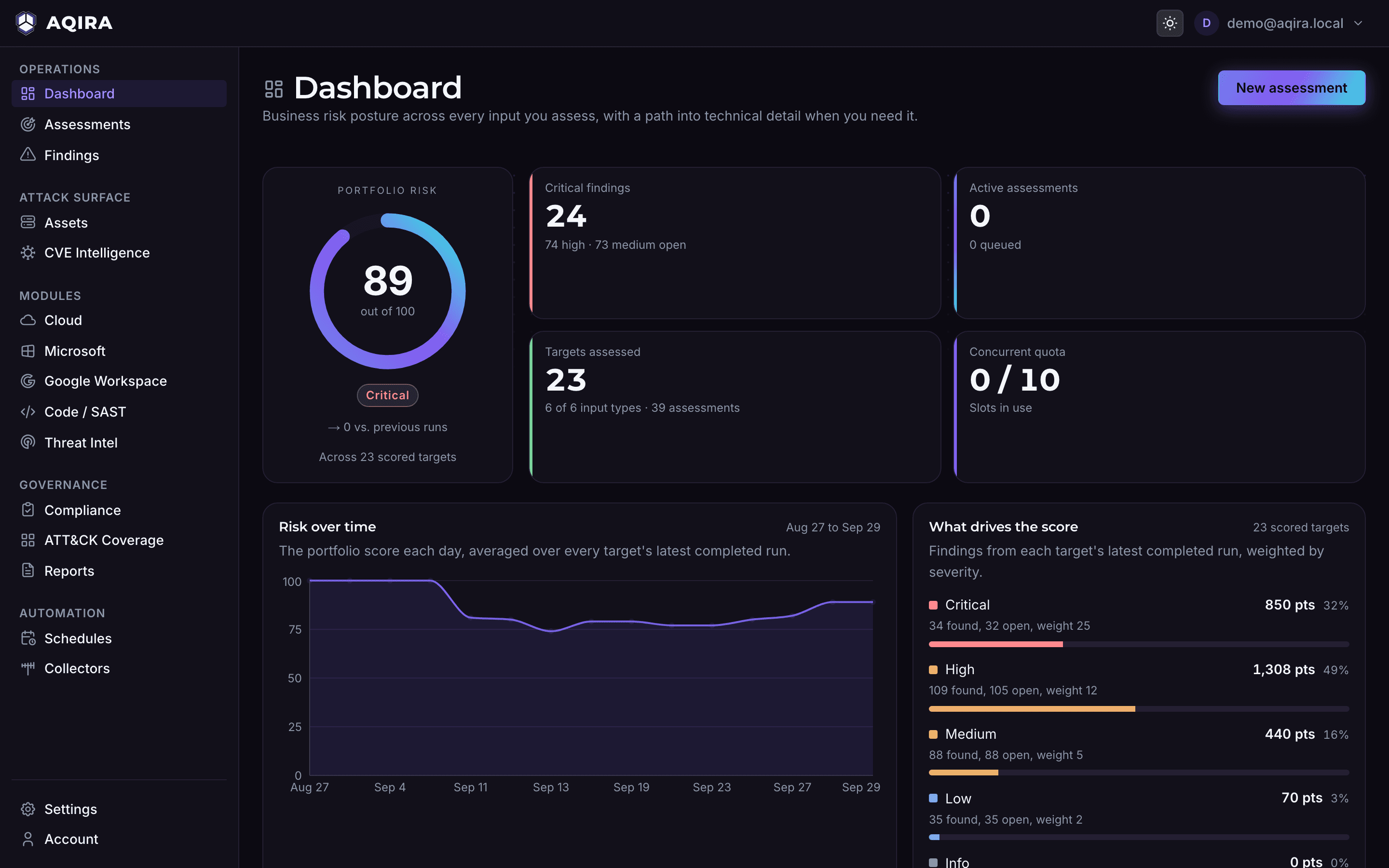
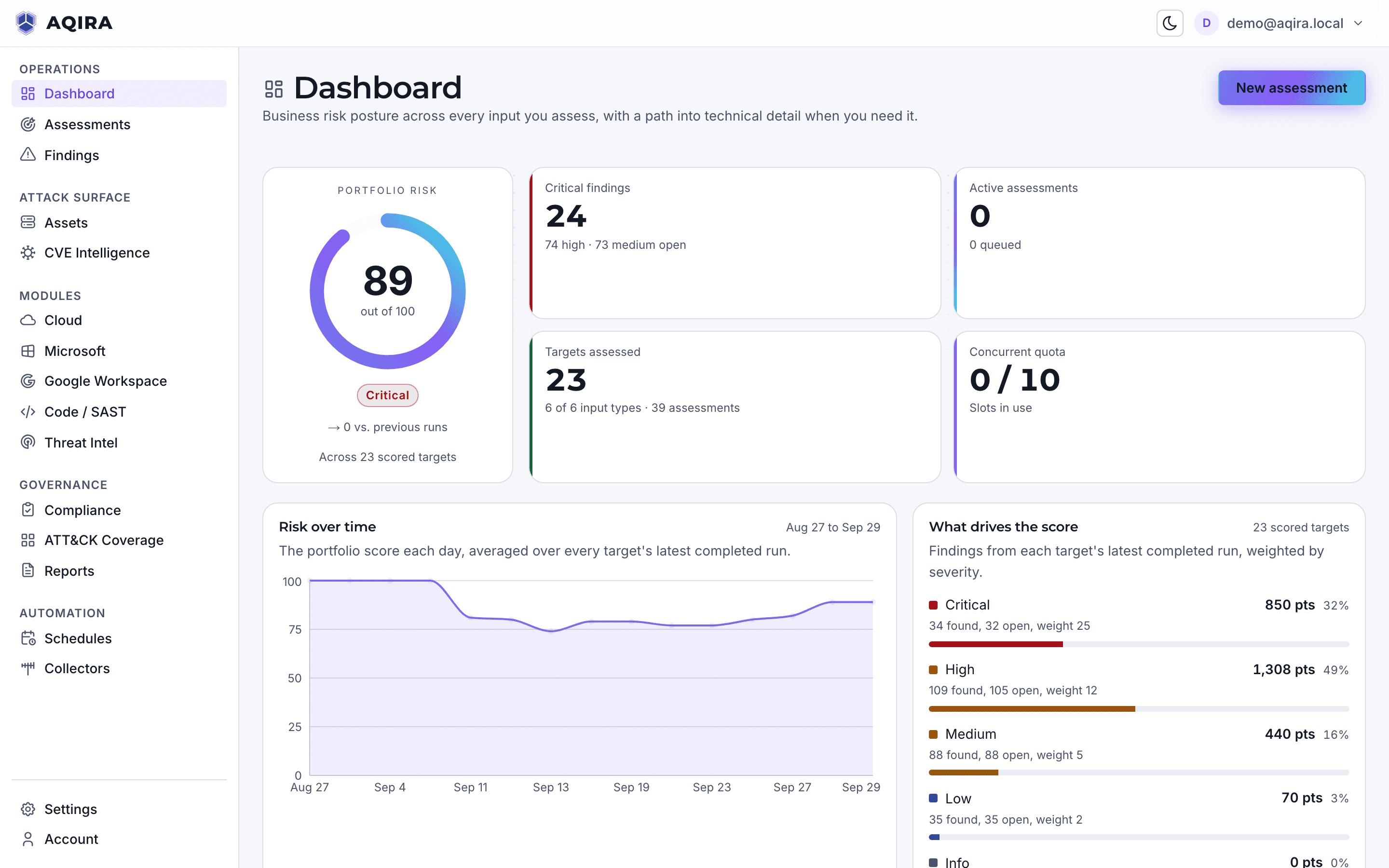
The same evidence feeds the rest of the console. Each part is set out in full, with its captures, on the platform page.
416 techniques and sub-techniques
Each finding maps to an ATT&CK technique, with kill chains in tactic order and MITRE's mitigations for every technique reached.
12 frameworks
Findings map to named controls, each with a status, an owner and evidence, updated on every scheduled assessment.
8 templates
Written from the same evidence the console shows, and exported as HTML, PDF, JSON or CSV.
One scale
A portfolio score, what drives it, how it moved and which reports are ready.
SSO, audit trail, vault
Single sign-on, an audit trail, schedules, collectors and a vault that keeps no copy of an upload.
Product UI, demo data.
FIRST EPSS, credential exposure
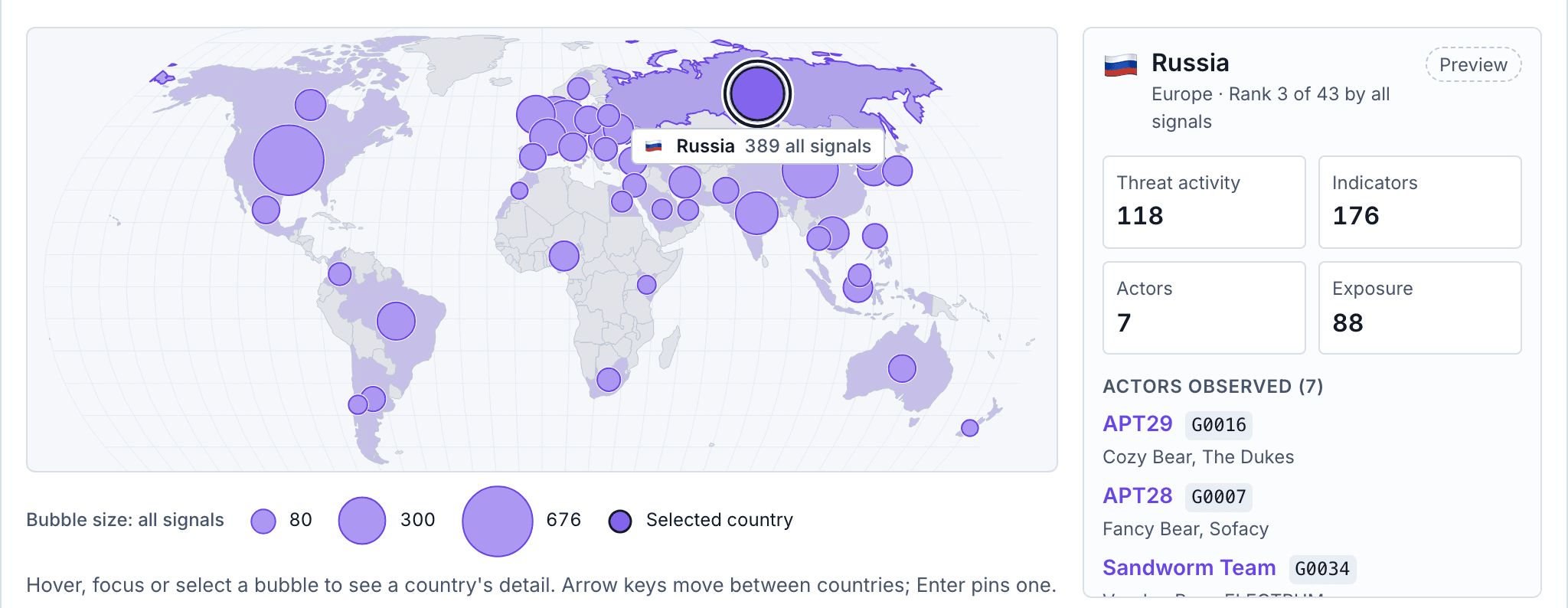
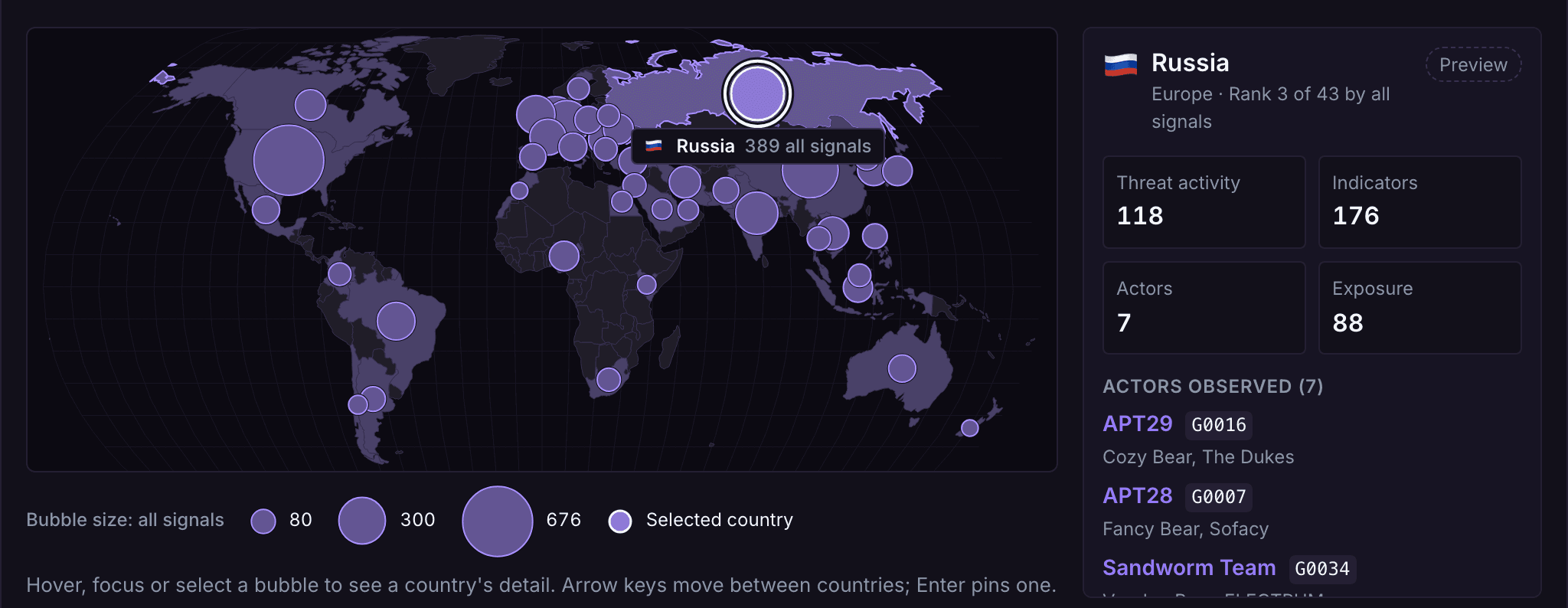
Findings show the weakness; the Threat Intel module shows the pressure around it. Two parts run on live data today: EPSS on every CVE in your findings, and the credentials AQIRA's assessments find exposed.
FIRST EPSS probability on every CVE across your findings, read live from FIRST.
KEV listings, indicators, actors and the map show sample data until their feeds are connected.
Credentials exposed in your estate, found by AQIRA's assessments, the secret itself never shown.
Breach, paste, forum and dark-web records show sample data until live monitoring is connected.
Lookalike domains, typosquats and impersonating profiles. Not in the console yet.
Where scope ends
A clean result covers only what AQIRA tests. What it does not do, and how its proof stays benign.
A clean assessment states what was tested, at one moment, not that an estate is secure.
Those need someone who understands what the application is for.
Web and API assessments cover what the internet reaches without signing in.
No phishing, no social engineering and no physical access testing.
Only through a collector you install, and only the private networks you authorise.
Read-only roles, tokens and consent, granted and revocable on your side.
Mobile assessments take an Android package (APK) and map findings to OWASP MASVS.
Proof is a unique marker the target echoes back, a measured delay, an out-of-band lookup or the output of a read-only command.
Standard runs safe proofs of concept; Deep chains steps to prove impact, still non-destructive; Reconnaissance sends no attacks.
Each finding lists read-only steps to reproduce it, with the response to expect.
Every active assessment and every schedule starts with the operator confirming they are authorised to test the target.
Pause, resume or cancel any assessment from the live console; it holds or stops at the next safe checkpoint. Schedules pause and resume too.
Shipped, month by month
Each capability in the month it reached the console, dated from the product's own history.
Design partners run AQIRA on their own estate and work directly with the team building it.
Become a design partnerThe assessment workspace
Findings, ATT&CK coverage, compliance and run history for every assessment, and a live console that follows each agent.
Schedules and collectors
Assessments that repeat on a schedule, and collectors for internal networks, enrolled with a one-time token.
Single sign-on
Sign-in through your own identity provider over OpenID Connect, with audit-ready tables across the console.
In-depth findings
CVSS vector, CWE, steps to reproduce, benign proof, remediation and ATT&CK mitigations on every finding.
All six inputs
Each of the six inputs starts and follows a full assessment in the console.
The report engine
Report templates for every reader, exported as HTML, PDF, JSON or CSV, with your colours and logo.
Portfolio dashboard and typed schedules
Risk and its trend across every assessment, and schedules that target cloud accounts, repositories and tenants.
Product screens on this site show demo data.
Standard is priced per domain. Premium puts web, Android, code and cloud on one plan, and Enterprise covers every input at scale. Pay monthly, or yearly with 2 months free.
From USD 299 a month per domain
Priced per domain: your web app and API, tested every month, with benign proof and a retest.
From USD 1,490 a month
Web, Android, code and cloud on one plan, with Deep testing, weekly schedules and compliance evidence.
From USD 6,000 a month
Every input at scale on a dedicated deployment, with SSO, an SLA and AQSEC expert days.
Monthly prices, on a 12-month term. Yearly, AED and PKR prices are on the pricing page. All prices exclude VAT and other taxes.
For anything else, write to hello@aqsec.co.
Yes: only what you own or have written permission to test. Every active assessment and every schedule asks the operator to confirm they are authorised to test the target. A collector reports only on the private networks its owner authorises.
Reconnaissance, which maps the attack surface from public sources without sending attacks, needs no authorisation. For cloud accounts and workspace tenants, the read-only grant in your own console is the authorisation.
Yes. From the live console you can pause, resume or cancel any assessment; it holds or stops at the next safe checkpoint. A schedule can be paused and resumed too.
Your team. AQIRA runs in the console, and nothing is tested until an operator on your side starts an assessment and confirms authorisation for the target. The same operator can pause, resume or cancel it.
AQSEC, the team that builds AQIRA, agrees the scope with you on a scoping call when a plan starts, and arranges a quarterly cadence on any plan if you want one.
Uploads go through the vault: an Android package is hashed and its structure checked as it streams in, and never stored or run. Access tokens are digested, so the console never shows one back.
Cloud accounts, repositories and workspace tenants are read through read-only roles, tokens and consent you grant and can revoke. Findings, evidence and reports stay in the console for your team.
A manual test brings a person who can reason about your business; AQIRA brings frequency and consistency. It runs the same five phases on every input and writes the report from its evidence. Every input except an Android package can repeat on a schedule, monthly to daily by plan, so testing becomes a continuous programme.
It does not replace a tester for business logic, testing behind a web login, social engineering or physical access.
A scanner returns possibilities ranked by a score. NOVA validates exploitability and attaches benign proof: what reaches your team is what an attacker could do, with evidence and read-only steps to reproduce it.
The smallest non-destructive evidence that a weakness is real: a unique marker the target echoes back, a measured delay, an out-of-band lookup or the output of a read-only command.
Every intensity is non-destructive, including Deep, which chains steps to prove impact.
6 kinds of input: domains with their web apps and APIs, Android APKs, AWS, Azure and GCP accounts, code repositories, and Microsoft 365 and Google Workspace tenants; internal networks through a collector inside them.
There are 8 report templates, and a report exports as HTML, PDF, JSON or CSV, written from the evidence.
Yes, on Enterprise, which runs on a dedicated deployment: the console supports single sign-on with your provider over OpenID Connect.
Signing out of AQIRA also ends the session at your provider, so the next sign-in asks for your password again.
Three plans, Standard, Premium and Enterprise, billed monthly on a 12-month term or yearly with 2 months free. Standard is priced per domain. Premium puts web, Android, code and cloud on one plan. Enterprise starts from a published price, with a quote for your scope.
The pricing page lists every price in USD, AED and PKR, with the full comparison and the add-ons.
Next step
A demo runs one assessment in the console, with demo data: the agents at work, the evidence behind each finding, and the report.